
Right Triangle by Nacha
Loading the math board and drawing, please wait…
In collections
Area of Polygons
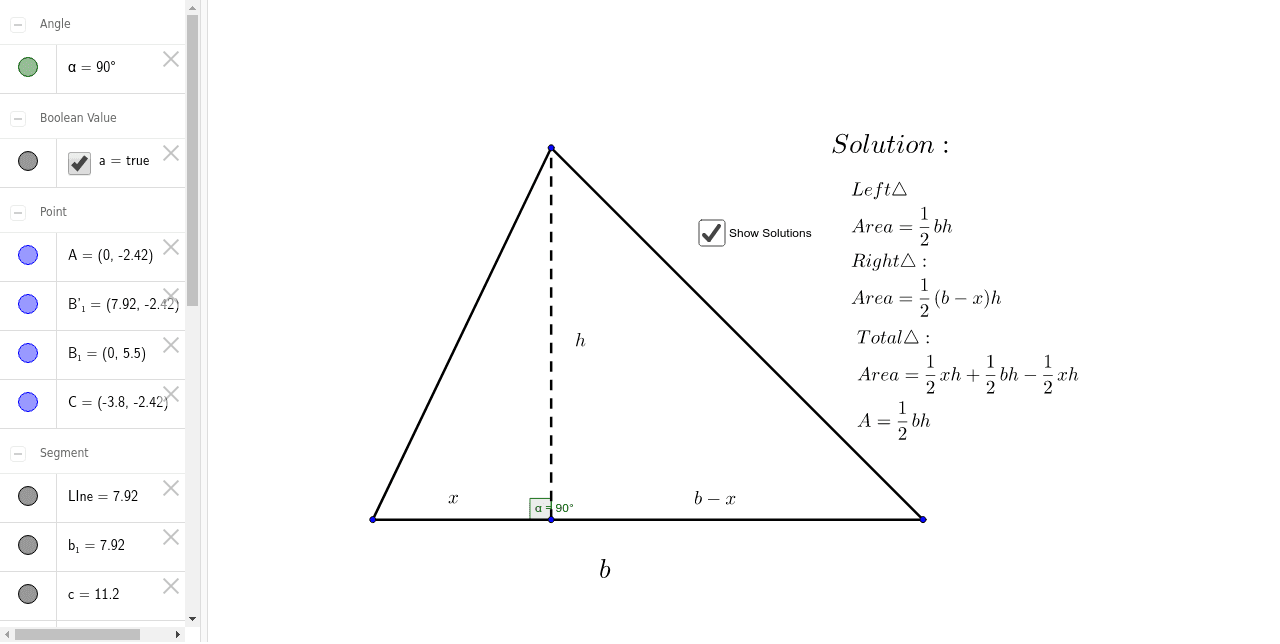
This example demonstrates the geometric construction and fundamental properties of a right triangle, involving concepts like line segments, coordinates, area, and derivatives. It uses commands such as Segment, Rotate, and Angle, with objects like A, B_1, Line, B'_1, etc. Suitable for high school mathematics teaching, particularly in analytical geometry and introductory calculus.
GeoGebra Commands & Parameters
Segment(A, B_1) → LIneRotate(B_1, -90*°, A) → B'_1Segment(A, B'_1) → b_1Segment(B_1, B'_1) → cSegment(A, C) → dSegment(C, B_1) → eAngle(B_1, A, C) → α
AI Drawing Prompt Reference
Draw a right triangle to demonstrate its geometric construction and fundamental properties, involving line segments, coordinates, area, and derivatives. Start by drawing the two legs of the right triangle, then rotate one leg to form the hypotenuse. Label the right angle, the lengths of each side, and the angles. Finally, draw a dashed line connecting the midpoint of the hypotenuse to the opposite vertex to analyze additional properties of the triangle.
The prompt above was compiled from the original drawing commands and is for reference only.