
Rectangles of Same Area: Geometric Construction Method
Loading the math board and drawing, please wait…
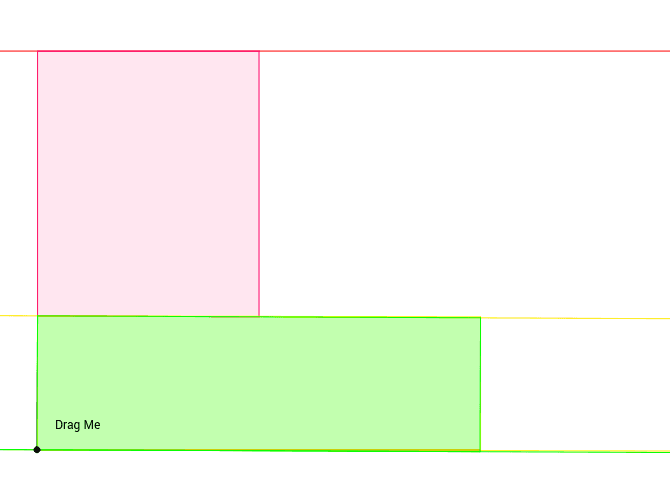
This example demonstrates how to cut and rearrange one rectangle into another of the same area using geometric construction. Key mathematical concepts include area conservation, rectangle partitioning, and rearrangement. The construction involves GeoGebra commands such as Polygon, Circle, OrthogonalLine, and Intersect. Suitable for middle school students learning geometric transformations and area calculations, also useful for math competition geometry proofs.
GeoGebra Commands & Parameters
Polygon(A, C, D, B) → poly1, a, c, d, bCircle(A, K) → pPoint(p) → LSegment(A, L) → iOrthogonalLine(L, i) → jOrthogonalLine(A, i) → lSegment(K, E) → ePolygon(K, E, F, A) → poly2, k, e_1, f, a_1Circle(L, e) → gIntersect(g, j, 2) → GOrthogonalLine(G, j) → hIntersect(l, h) → HPolygon(L, G, H, A) → poly3, l_1, g_1, h_1, a_2Line(C, D) → mLine(A, B) → nLine(K, I) → qLine(L, G) → rIntersect(m, g_1) → JIntersect(m, r) → MPolygon(J, G, M) → poly4, m_1, j_1, g_2
AI Drawing Prompt Reference
Draw a geometric construction diagram showing the cutting and rearranging of one rectangle into another of the same area. The diagram includes rectangles, circles, line segments, and lines, connected by intersection points. The construction order is: first draw the initial rectangle and circle, then use line segments and lines to cut, and finally form a new rectangle through intersection points. Ensure the diagram reflects the concepts of area conservation and rectangle partitioning.
The prompt above was compiled from the original drawing commands and is for reference only.