
Rectangle Properties by Roxana Kim
Loading the math board and drawing, please wait…
In collections
Exploring the Properties of Quadrilaterals
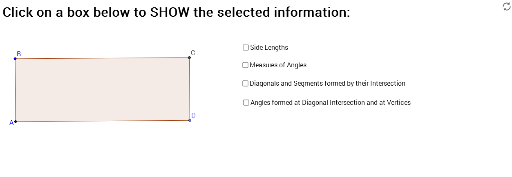
This example demonstrates the geometric properties of a rectangle through interactive manipulation, allowing students to verify its side lengths, angles, and other characteristics. Core math concepts include polygons, coordinate geometry, angle measurement, and distance calculation. It utilizes GeoGebra commands and objects such as Line, OrthogonalLine, Point, Intersect, Polygon, Distance, Angle, and Segment. Suitable for middle school and above, it aids in exploring and validating geometric conjectures.
GeoGebra Commands & Parameters
Line(A, B) → aOrthogonalLine(A, a) → bPoint(b) → DOrthogonalLine(D, b) → cOrthogonalLine(B, a) → dIntersect(c, d) → CPolygon(A, B, C, D) → poly1, a_1, b_1, d_1, c_1Distance(A, B) → distanceABDistance(B, C) → distanceBCDistance(C, D) → distanceCDDistance(A, D) → distanceADAngle(A, B, C) → αAngle(C, D, A) → βAngle(D, A, B) → γAngle(B, C, D) → δSegment(A, C) → gSegment(B, D) → hIntersect(g, h) → EDistance(B, D) → distanceBDDistance(A, C) → distanceACDistance(B, E) → distanceBEDistance(C, E) → distanceCEDistance(D, E) → distanceDEDistance(A, E) → distanceAESegment(C, A) → jSegment(D, B) → kIntersect(j, k) → FAngle(A, B, F) → εAngle(F, C, D) → ζAngle(F, B, C) → ηAngle(B, A, F) → θAngle(F, A, D) → ιAngle(F, D, A) → κAngle(F, D, C) → λAngle(C, F, D) → μAngle(C, F, B) → νAngle(B, C, F) → ξ