
Polar Coordinates & The Circle
Loading the math board and drawing, please wait…
GeoGebra Commands & Parameters
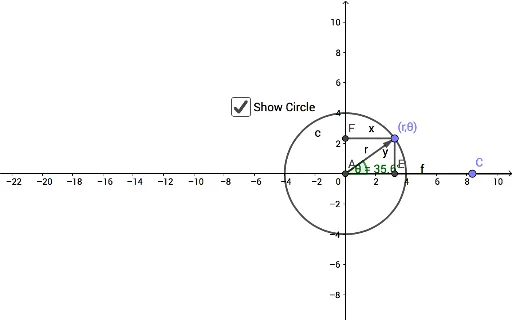
Intersect(xAxis, yAxis) → APoint(xAxis) → CRay(A, C) → fCircle(A, D) → cPoint(c) → BVector(A, B) → rAngle(C, A, B) → θOrthogonalLine(B, f) → gOrthogonalLine(B, yAxis) → hIntersect(g, f) → ESegment(B, E) → iIntersect(h, yAxis) → FSegment(B, F) → jLaTeX(C, true, true) → text1
AI Drawing Prompt Reference
Draw a circle and select a point on it. Connect the origin to the point with a ray to represent the polar radius and angle. Label the polar and Cartesian coordinates of the point. Draw tangent and perpendicular lines from the point, intersecting the ray and y-axis at two points. Connect the origin to these points with line segments. Adjust the positions dynamically to observe the changes in polar and Cartesian coordinates and geometric relationships.
The prompt above was compiled from the original drawing commands and is for reference only.