
Point in a Regular Pentagon
Loading the math board and drawing, please wait…
In collections
Functions on the Domain of Space - Polygons
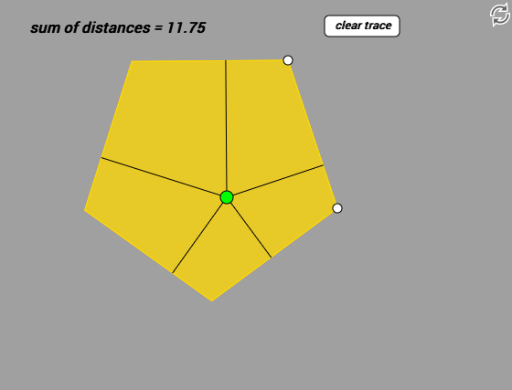
This example demonstrates how to locate a point within a regular pentagon, highlighting symmetry and coordinate geometry. Key mathematical concepts include properties of regular polygons, coordinate systems, and geometric construction. The construction involves GeoGebra commands such as Polygon, OrthogonalLine, and Intersect. Suitable for middle school students or high school students learning geometry and coordinate geometry, useful for teaching and self-exploration.
GeoGebra Commands & Parameters
Polygon(A, B, 5) → poly1, a, b, c, d, e, C, D, EOrthogonalLine(F, a) → fIntersect(f, a) → GOrthogonalLine(F, b) → gIntersect(g, b) → HOrthogonalLine(F, c) → hIntersect(h, c) → IOrthogonalLine(F, d) → iIntersect(i, d) → JOrthogonalLine(F, e) → jIntersect(j, e) → KSegment(F, G) → kSegment(F, H) → lSegment(F, I) → mSegment(F, J) → nSegment(F, K) → p
AI Drawing Prompt Reference
Draw a regular pentagon and place a point inside it. Draw perpendicular lines from the point to each side of the pentagon, marking the foot of each perpendicular as a point. Connect the point to these five points with line segments. Highlight the symmetry of the pentagon and the relationship in coordinate geometry.
The prompt above was compiled from the original drawing commands and is for reference only.