
Planes & Planes by Judah L Schwartz
Loading the math board and drawing, please wait…
This example demonstrates various types of planes and their geometric properties. Core math concepts include planes, means, isosceles triangles, geometric mean, centroid or barycenter, and division. Construction highlights the use of GeoGebra commands like CircleArc, Point, Segment, Angle, and CurveCartesian. Suitable for high school and above, focusing on geometric constructions and spatial relationships.
GeoGebra Commands & Parameters
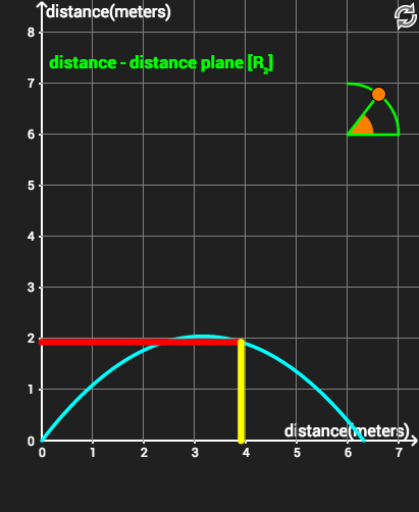
CircleArc(C, F, G) → cPoint(c) → HSegment(C, H) → jAngle(F, C, H) → αCurveCartesian((V0_x * t), (V0_y * t) - ((0.5 * 9.8) * t^(2)), t, 0, (2 * V0_y / 9.8)) → aSegment(A, D) → gSegment(X, E) → hSegment(Y, E) → fSegment(B, A) → iSegment(F, C) → k
AI Drawing Prompt Reference
Draw a geometric figure with multiple planes, including a circular arc, a point, two line segments, and an angle. First, draw a circular arc, then take a point from the arc, and draw a line segment from the center to this point. Next, draw an angle. Finally, draw some line segments connecting different points to form a triangle.
The prompt above was compiled from the original drawing commands and is for reference only.