
Percentage Increase and Decrease: Calculating Modified Base Values
Loading the math board and drawing, please wait…
In collections
Prozentrechnung: Vermehrung und Verminderung
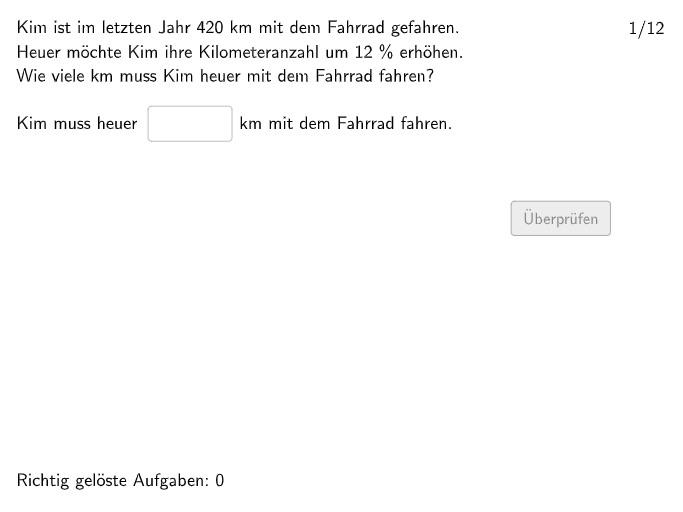
This is an interactive practice set for calculating percentage-based increases (Vermehrte Grundwerte) and decreases (Verminderte Grundwerte) of base values. The core mathematical concepts include understanding change factors (Änderungsfaktoren) and solving single-step and multi-step percentage problems. The construction uses Shuffle and Element commands to randomly generate questions, Textfield for student input, If and Defined commands for answer validation, along with btnValidate, btnTryAgain, and btnNew buttons for complete practice feedback. Suitable for Grade 7-8 students to review and consolidate percentage calculation skills, also suitable for classroom assessment.
GeoGebra Commands & Parameters
Join({Join[{firstEx, Shuffle[Sequence[1, 12] \ firstEx]}], Join[Sequence[Shuffle[Sequence[1, maxexnum]], m, 1, floor(110 / maxexnum)]]}) → listExNumsTextfield(input1) → InputBox1Polygon(PtopLeftCornerFeedback, PtopRightCornerFeedback, PbottomRightCornerFeedback, PbottomLeftCornerFeedback) → rectangleCorrect, rectangleCorrectS3, rectangleCorrectS4, rectangleCorrectS2, rectangleCorrectS1Shuffle(Sequence[Random[0, 10], i, 1, 100]) → randomNosForX, {8, 6, 9, 6, 4, 0, 2, 3, 6, 8, 7, 8, 3, 0, 4, 7, 7, 3, 1, 10, 1, 4, 1, 8, 2, 10, 9, 0, 0, 3, 3, 6, 3, 10, 3, 0, 4, 6, 0, 9, 7, 6, 2, 6, 3, 2, 5, 7, 6, 9, 2, 10, 4, 7, 0, 0, 3, 3, 1, 6, 1, 2, 3, 6, 7, 7, 10, 1, 1, 8, 6, 2, 9, 0, 4, 9, 9, 3, 0, 10, 10, 6, 9, 8, 0, 8, 9, 7, 0, 10, 6, 6, 4, 9, 8, 2, 0, 7, 9, 9}Element(randomNosForX, Mod[questionCount, 100] + 1) → numXShuffle(Sequence[Random[0, 10], i, 1, 100]) → randomNosForY, {8, 4, 2, 3, 0, 1, 1, 5, 3, 0, 8, 7, 4, 4, 1, 4, 7, 3, 7, 7, 10, 8, 6, 10, 10, 6, 2, 7, 7, 7, 9, 10, 8, 7, 7, 6, 6, 3, 10, 6, 1, 2, 10, 1, 8, 0, 3, 8, 7, 8, 0, 8, 10, 0, 7, 8, 10, 5, 8, 9, 3, 6, 6, 6, 1, 9, 3, 5, 7, 2, 7, 3, 8, 8, 7, 3, 5, 2, 6, 7, 6, 6, 7, 4, 0, 8, 6, 4, 9, 8, 9, 4, 3, 0, 0, 1, 9, 9, 8, 8}Element(randomNosForY, Mod[questionCount, 100] + 1) → numYAppend(true, Sequence[If[randomNosForX(i) ≟ randomNosForX(i - 1), false, true], i, 2, 100]) → stayXAppend(true, Sequence[If[randomNosForY(i) ≟ randomNosForY(i - 1), false, true], i, 2, 100]) → stayYRemove(Sequence[If[stayX(i), randomNosForX(i), 0], i, 1, 100], Sequence[0, i, 1, 100]) → randomNosForXwithoutRepeatRemove(Sequence[If[stayY(i), randomNosForY(i), 0], i, 1, 100], Sequence[0, i, 1, 100]) → randomNosForYwithoutRepeatElement(randomNosForXwithoutRepeat, Mod[questionCount, Length[randomNosForXwithoutRepeat]] + 1) → numXwithoutRepeatElement(randomNosForYwithoutRepeat, Mod[questionCount, Length[randomNosForYwithoutRepeat]] + 1) → numYwithoutRepeatDefined(input1) → fixedNumberSeparationComma(numA) → Text39Textfield(input3) → InputBox3Textfield(input4) → InputBox4Textfield(input5) → InputBox5Textfield(input2) → InputBox2Semicircle(B1 + (0, circleheight), B1) → cSemicircle(B1 + (0, (2 * circleheight) - 0.2), B1 + (0, circleheight - 0.2)) → dSemicircle(B1 + (circlewidth, 0), B1 + (circlewidth, circleheight)) → eSemicircle(B1 + (circlewidth, circleheight - 0.2), B1 + (circlewidth, (2 * circleheight) - 0.2)) → fTextfield(input6) → InputBox6Textfield(input7) → InputBox7If(opt2, input3 ≟ solopt2, input3 ≟ solopt1) → correct3Point(Line[P0, xAxis]) → P1Point(Line[P0, xAxis]) → P2Point(Line[P0, xAxis]) → P3Point(Line[P0, xAxis]) → P4Point(Line[P0, xAxis]) → P5Point(Line[P0, xAxis]) → P6Point(Line[P0, xAxis]) → P7Point(Line[P0, xAxis]) → P8Point(Line[P0, xAxis]) → P9Point(Line[P0, xAxis]) → P10Point(Line[P0, xAxis]) → P11Point(Line[P0, xAxis]) → P12Element({P1, P2, P3, P4, P5, P6, P7, P8, P9, P10, P11, P12}, exnum) → PPoint(Line[E0, xAxis]) → E1Point(Line[E0, xAxis]) → E2Point(Line[E0, xAxis]) → E3Point(Line[E0, xAxis]) → E4Point(Line[E0, xAxis]) → E5Point(Line[E0, xAxis]) → E6Point(Line[E0, xAxis]) → E7Point(Line[E0, xAxis]) → E8Point(Line[E0, xAxis]) → E9Point(Line[E0, xAxis]) → E10Point(Line[E0, xAxis]) → E11Point(Line[E0, xAxis]) → E12Element({E1, E2, E3, E4, E5, E6, E7, E8, E9, E10, E11, E12}, exnum) → E
AI Drawing Prompt Reference
Create a rectangular workspace outline using four corner points, with a horizontal reference line passing through the scene. Near the left side of the rectangle, draw two semicircular arcs: one semicircle on the upper side from a left base point, and another semicircle below it with a slight vertical offset, together forming a bracket-like curved section. On the right side of the rectangle, add two more semicircular arcs to complete a curved frame, with the upper and lower arcs slightly shortened near their ends so the shapes align visually with the offsets. Place several input text boxes in the figure area for student answers, and also include multiple points that lie along the horizontal reference line to serve as selectable anchor points for labeling or further construction.
The prompt above was compiled from the original drawing commands and is for reference only.