
P4 Area Practice 5: Polygon Area and Translation
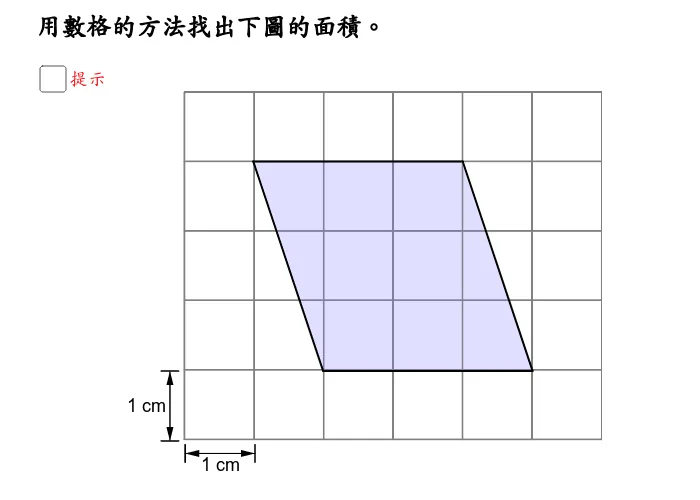
This GeoGebra example is a Primary 4 area practice exercise demonstrating polygon construction, area calculation, and translation transformation. Using GeoGebra commands such as Segment, Vector, Point, Translate, and Polygon, the applet constructs a polygon (poly1) with vertices A, B, C, D, E, F, and then applies a translation vector to generate its translated image polygon (poly2) with corresponding image points A', B', C', D', E', F'. Students can interact with the sliders and controls to adjust the translation vector and observe how the polygon moves without changing its size, shape, or area. The applet displays both the original and translated polygons simultaneously, making it easy to compare their positions and verify that translation is a rigid transformation that preserves area. This visual approach reinforces the key geometric principle that translating a polygon does not alter its area, helping students build confidence in solving polygon area problems. The interactive design allows learners to experiment freely, dragging the translation vector to see real-time updates, which deepens their intuitive understanding of both area computation and the properties of translation. Suitable for foundational geometry instruction and area practice at the primary level, this applet bridges the gap between abstract formulas and concrete visual reasoning, making it an effective teaching and learning tool for young students exploring geometric transformations.
In collections
Interactive Geometry: Area
Loading the math board and drawing, please wait…