
Oblique Cone: 3D Construction and Visualization
Loading the math board and drawing, please wait…
In collections
Volume Project
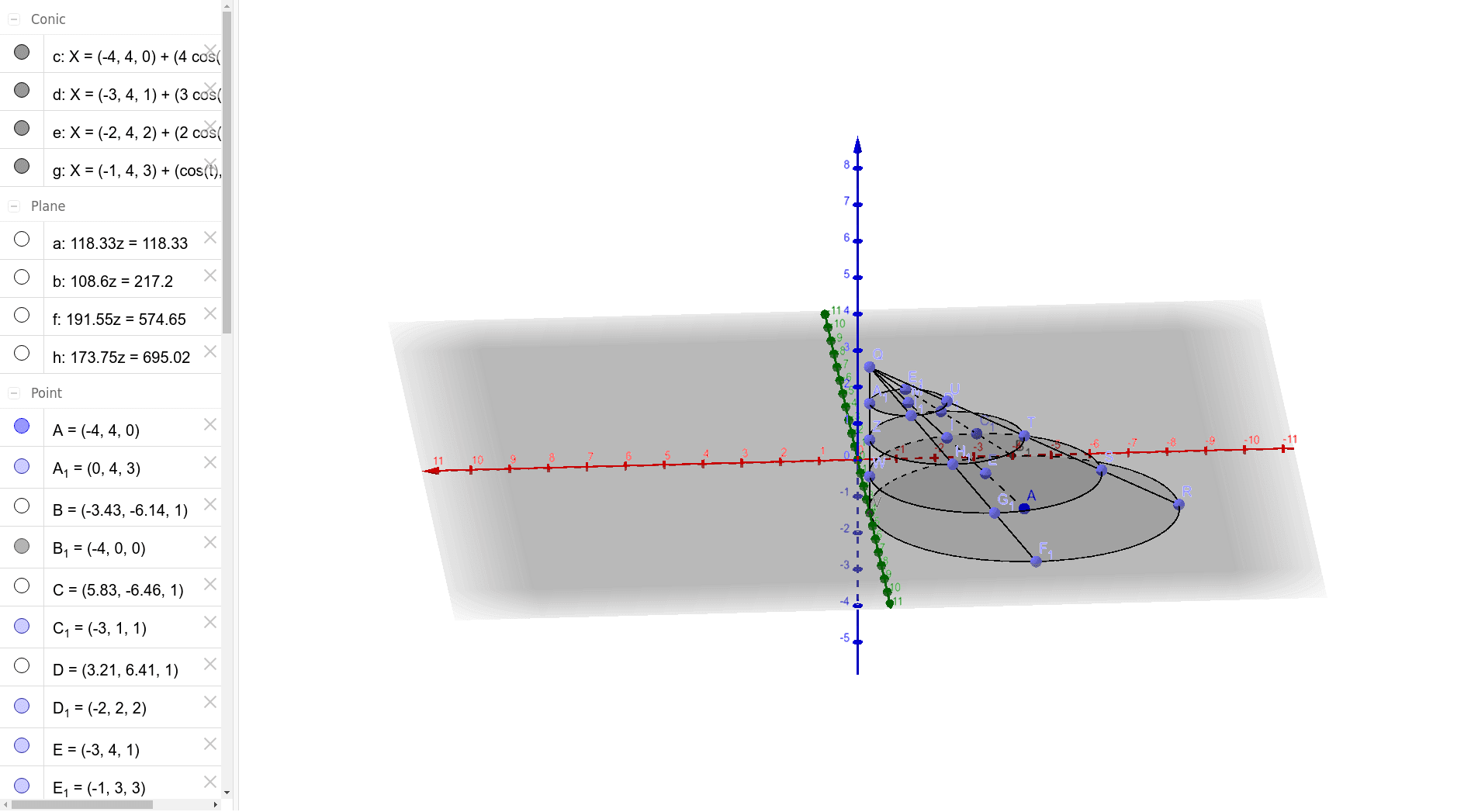
This GeoGebra example demonstrates the construction of an oblique cone, where the apex is not vertically above the center of the base, creating a tilted three-dimensional solid. The core mathematical concepts include the geometric definition of a cone, spatial relationships among points, lines, and planes, an elliptical base, and perimeter/area considerations arising from rotation and cross-sections. The construction uses GeoGebra commands such as Circle to define the base, Plane to establish the base plane, PointIn to place points inside the circle, Segment to connect the apex to base points (generating lateral edges), and Point/Intersect to mark auxiliary points and intersections. Multiple points, segments, and planes are combined to form the complete oblique cone and its internal structure. This resource is suitable for high school or college-level solid geometry instruction, helping students intuitively grasp the generation of oblique cones, properties of generatrices, and parametric representation of spatial solids. It also supports advanced explorations such as cross-sections and Riemann-sum approximations for volume or surface area.
GeoGebra Commands & Parameters
Circle(A, 4, xOyPlane) → cPlane(B, C, D) → aPointIn(a) → ECircle(E, 3, a) → dPlane(F, G, H) → bPointIn(b) → ICircle(I, 2, b) → ePlane(J, K, L) → fPointIn(f) → MCircle(M, 1, f) → gPlane(N, O, P) → hPointIn(h) → QSegment(A, Q) → iPoint(c) → RPoint(d) → SPoint(e) → TPoint(g) → USegment(R, Q) → jIntersect(yAxis, c, 1) → VPoint(d) → WPoint(e) → ZPoint(g) → A_1Segment(Q, V) → kIntersect(xAxis, c, 1) → B_1Point(d) → C_1Point(e) → D_1Point(g) → E_1Point(c) → F_1Point(d) → G_1Point(e) → H_1Point(g) → I_1Segment(F_1, Q) → lSegment(B_1, Q) → m