
Measurement and Calculation of Polygon Area
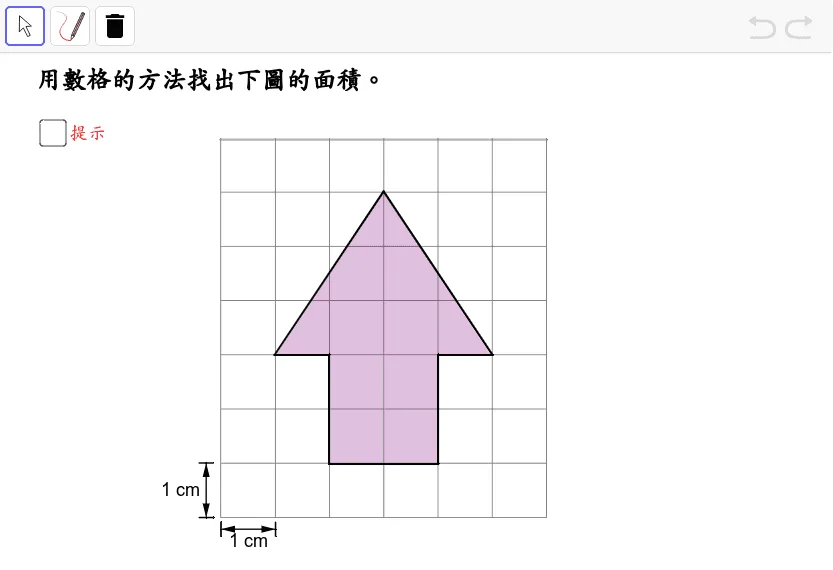
This GeoGebra applet demonstrates how to measure and calculate the area of polygons through dynamic geometric construction. By building segments, vectors, and polygons within the interactive environment, the applet explores key geometric concepts such as translations, special points including the vertices of isosceles triangles, and the relationships between different polygon types. Users can manipulate points and observe in real time how changes to side lengths, angles, and vertex positions affect the computed area. The applet connects polygon area formulas to broader mathematical tools such as trigonometric functions and vector operations, showing students that area is not merely a static formula to memorize but a quantity deeply tied to geometric structure. Learners can construct their own figures, toggle between different decomposition strategies, and verify that alternative methods yield the same result, reinforcing both computational accuracy and conceptual understanding. The interface is designed for classroom use and self-directed exploration, allowing teachers to guide students through step-by-step derivations while students test conjectures independently. Through this hands-on approach, learners develop an intuitive grasp of why the area formulas for triangles, quadrilaterals, and regular polygons work, and how these formulas emerge from fundamental properties like congruence, parallelism, and symmetry. The dynamic visualization supports multiple learning styles by linking numerical computation with geometric reasoning, making it especially effective for students who benefit from seeing mathematical relationships unfold rather than simply reading them in a textbook. This resource is well suited for lessons on plane geometry, introductory proofs, and applications of vectors and trigonometry in area calculations.
Loading the math board and drawing, please wait…