
Intersection of Two Surfaces by Éliás Judit
Loading the math board and drawing, please wait…
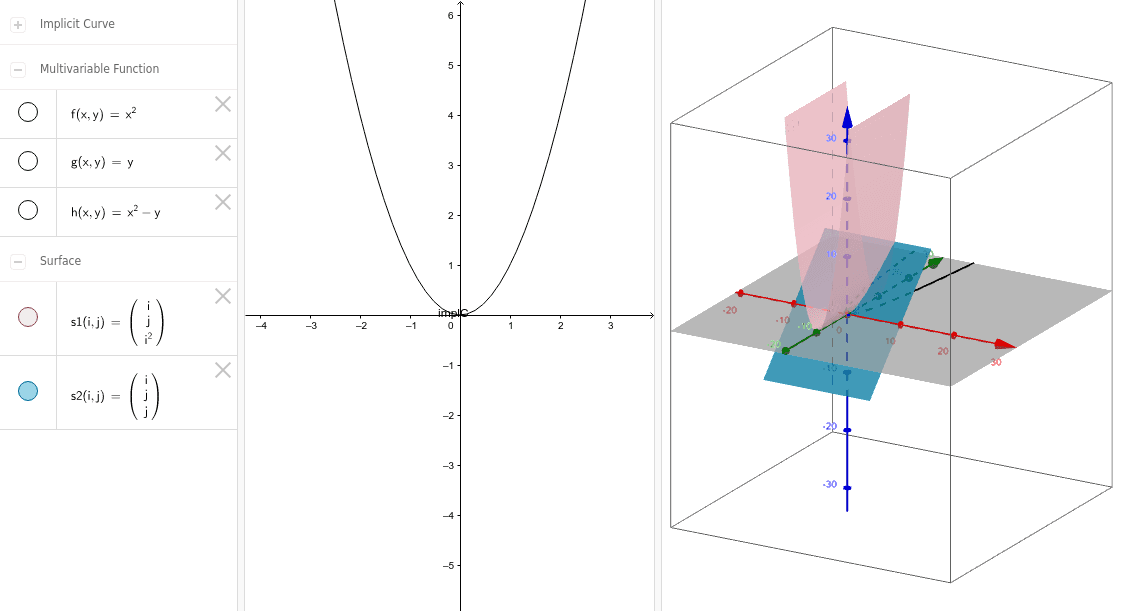
This example demonstrates the intersection of two surfaces, involving the core mathematical concept of implicit curves in coordinate geometry. By using the Surface and ImplicitCurve commands, the intersection of two surfaces can be constructed. Suitable for high school or university coordinate geometry courses, helping students understand the geometric meaning of surface intersections.
GeoGebra Commands & Parameters
Surface(i, j, f(i, j), i, -10, 10, j, -10, 10) → s1Surface(i, j, g(i, j), i, -10, 10, j, -10, 10) → s2ImplicitCurve(h(x, y)) → implC
AI Drawing Prompt Reference
Draw the intersection of two surfaces, first create surface s1 with equation f(i, j), then create surface s2 with equation g(i, j); finally, draw the implicit curve on the intersection of s1 and s2 with equation h(x, y).
The prompt above was compiled from the original drawing commands and is for reference only.