
Intersection Lines: Tangents and Intersections in a Triangle
Loading the math board and drawing, please wait…
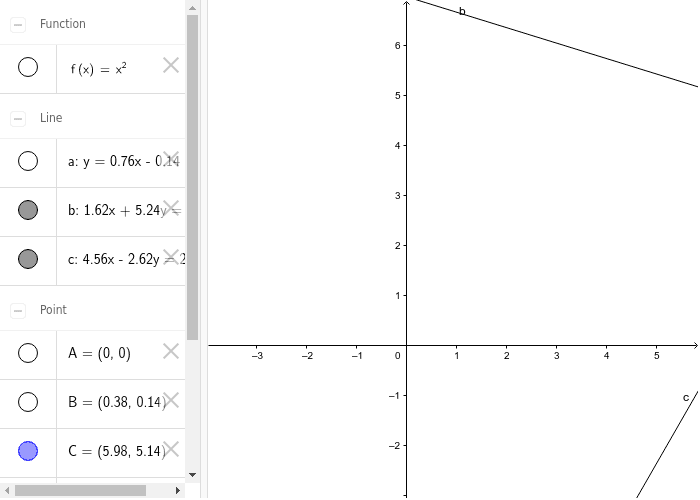
This example demonstrates the geometric relationships formed by multiple lines, tangents, and their intersection points within a triangle context. It visually explores how tangent lines to a curve (or circle) intersect with triangle sides and other lines, revealing angle properties and point coordinates. Core mathematical concepts include line-circle intersection, tangent properties, triangle angle relations, and coordinate determination of intersection points. Construction uses GeoGebra commands: Intersect for finding intersection points, Point for creating points, Tangent for drawing tangents, and Line for constructing lines. Objects include points A, B, C, D, E, F, G, lines a, b, c, and function f (likely representing a curve). This is suitable for high school plane geometry or analytic geometry classes, helping students intuitively understand the interplay between tangents, intersections, and triangle geometry. It also supports exploration of optimization problems, such as minimizing distances from a point to a tangent line. By dynamically dragging points or lines, learners can observe how intersection loci change, enhancing geometric intuition and logical reasoning.
GeoGebra Commands & Parameters
Intersect(xAxis, yAxis) → APoint(f) → BTangent(B, f) → aLine(C, D) → bLine(E, F) → cIntersect(b, c) → G
AI Drawing Prompt Reference
Inside a triangle, draw a curve and its three sides. From any point on the curve, draw a tangent line that intersects two sides of the triangle, marking the three intersection points. Then, connect the intersection points of the two sides to form a line, observing the relationships between the tangent, intersection points, and the triangle.
The prompt above was compiled from the original drawing commands and is for reference only.