
Generating Pythagorean Triples
Loading the math board and drawing, please wait…
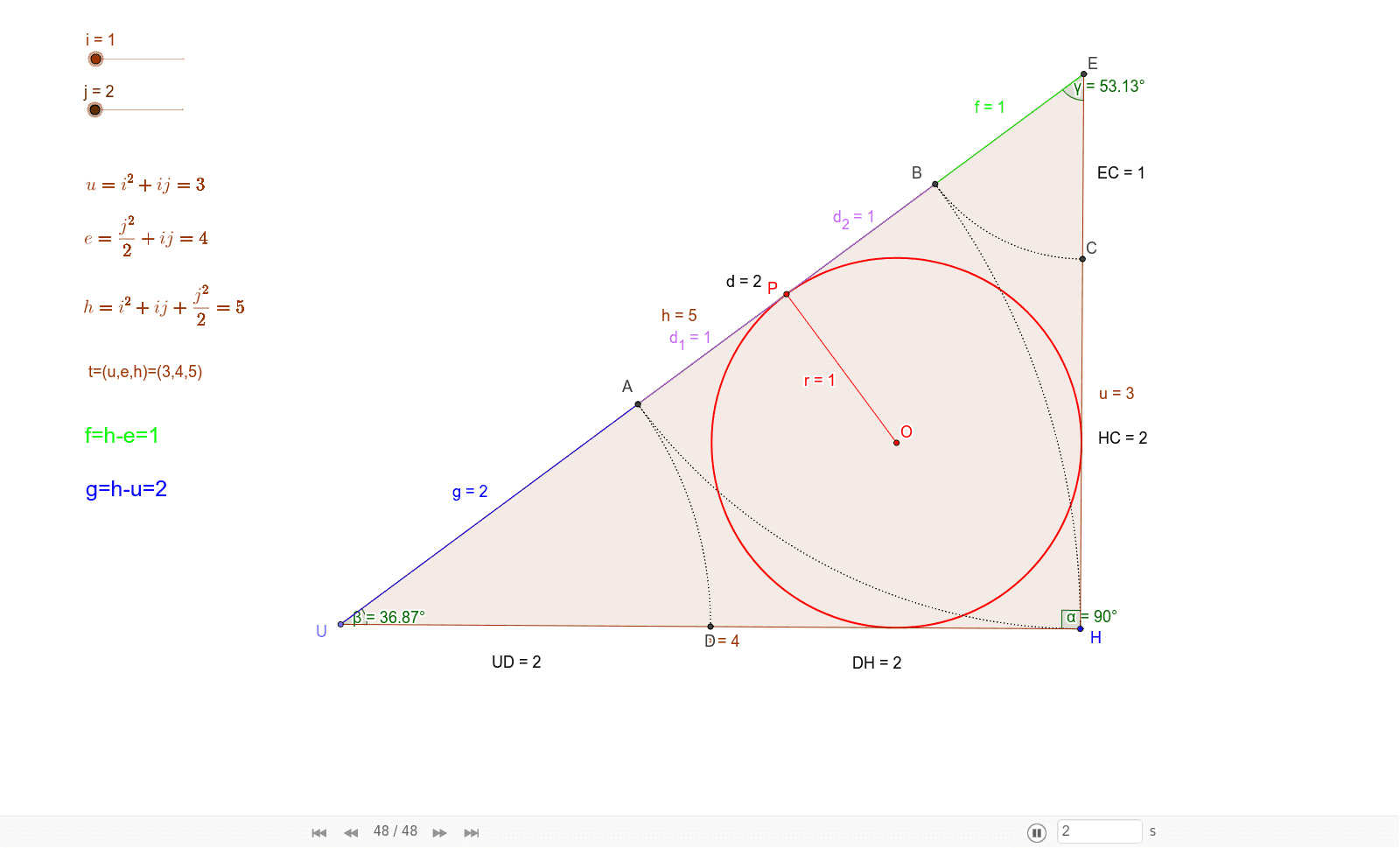
This example demonstrates the geometric construction of Pythagorean triples using GeoGebra. It involves core concepts like the Pythagorean theorem, right triangles, and coordinate geometry. Key GeoGebra commands and objects used include Circle, Point, Line, OrthogonalLine, Intersect, Polygon, Incentre, InscribeCicle, Segment, Angle, CircleArc, and Distance. Suitable for high school mathematics education to understand the principles and geometric applications of generating Pythagorean triples.
GeoGebra Commands & Parameters
Circle(H, (i * j) + j^(2) / 2) → cPoint(c) → ULine(U, H) → aOrthogonalLine(H, a) → bCircle(H, i^(2) + (i * j)) → d_3Intersect(d_3, b, 2) → EPolygon(H, U, E) → poly1, e, h, uIncentre(E, U, H) → OInscribeCicle(E, U, H) → f_1Intersect(f_1, h, 1) → PSegment(P, O) → rAngle(E, H, U) → αCircle(E, h - e) → d_4Circle(U, h - u) → f_2Intersect(f_2, h, 1) → AIntersect(d_4, h, 1) → BSegment(U, A) → gSegment(B, E) → fSegment(A, B) → dSegment(A, P) → d_1Segment(P, B) → d_2Intersect(d_4, u, 1) → CIntersect(f_2, e, 1) → DCircleArc(U, D, A) → pCircleArc(U, H, B) → qCircleArc(E, A, H) → kAngle(H, U, E) → βAngle(U, E, H) → γCircleArc(U, D, A) → sCircleArc(E, B, C) → tDistance(C, H) → distanceCHDistance(D, H) → distanceDHDistance(H, C) → distanceHCDistance(E, C) → distanceECDistance(U, D) → distanceUD
AI Drawing Prompt Reference
Draw a right triangle with one leg as the diameter of a circle, intersecting the other leg at a point. Connect this point to the right angle vertex, then draw a circle centered at this point intersecting the hypotenuse at two points. Connect these points to the right angle vertex and the intersection point, forming two smaller triangles. Label the lengths of all sides and connect key points with arcs.
The prompt above was compiled from the original drawing commands and is for reference only.