
Fraction Wedges on a Circle
Loading the math board and drawing, please wait…
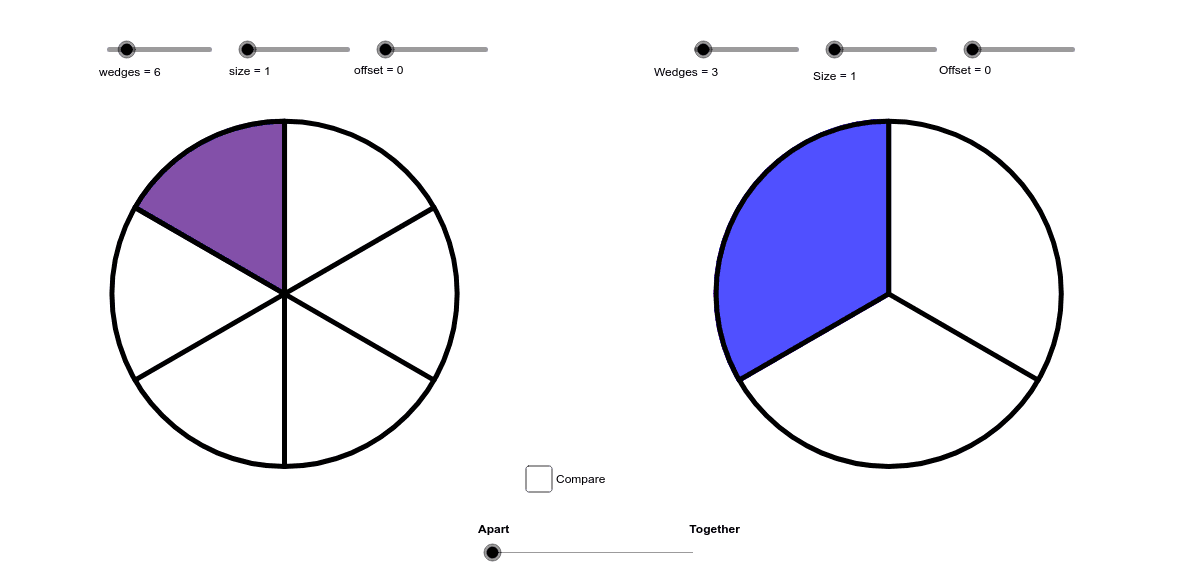
This is a simple tool for drawing fractions on a circle. The example demonstrates how to use GeoGebra commands to create fraction wedges. Main mathematical concepts include fractions and the geometric properties of circles. By adjusting parameters, the size and position of the wedges can be dynamically changed. Suitable for middle school and above students to learn about fractions and circle properties.
GeoGebra Commands & Parameters
Sequence(Point[{cos(90° + ((360 * ° / wedges) * i)), sin(90° + ((360 * ° / wedges) * i))}], i, 0, wedges - 1) → list1Sequence(Segment[(0, 0), Element[list1, i]], i, 1, wedges) → list2Element(list1, offset + 1) → firstIf(offset + 1 + size ≟ wedges, Element[list1, wedges], Element[list1, Mod[offset + 1 + size, wedges]]) → secondCircle((0, 0), 1) → cSector(c, first, second) → dSequence(Point[{cos(90° + ((360 * ° / Wedges) * i)) + apart, sin(90° + ((360 * ° / Wedges) * i))}], i, 0, Wedges - 1) → list3Element(list3, Offset + 1) → first_1Sequence(Point[{cos(90° + ((360 * ° / wedges) * i)), sin(90° + ((360 * ° / wedges) * i))}], i, 0, wedges - 1) → list1_1If(Offset + 1 + Size ≟ Wedges, Element[list3, Wedges], Element[list3, Mod[Offset + 1 + Size, Wedges]]) → second_1Sequence(Point[{cos(90° + ((360 * ° / wedges) * i)), sin(90° + ((360 * ° / wedges) * i))}], i, 0, wedges - 1) → list1_2Circle((apart, 0), 1) → c_1Sector(c_1, first_1, second_1) → d_1Element({"Bigger", "Smaller", "Same"}, b + (2 * e) + 1) → leftElement({"Smaller", "Bigger", "Same"}, b + (2 * e) + 1) → text1Sequence(Segment[(apart, 0), Element[list3, i]], i, 1, Wedges) → list4