
Fraction Multiplication Demo by John Ulbright (2)
Loading the math board and drawing, please wait…
In collections
Working with fractions
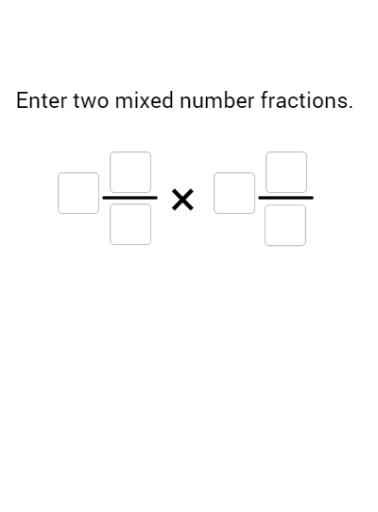
This example demonstrates how to multiply mixed numbers using GeoGebra, with pie charts to visualize the results. It involves core concepts like fraction multiplication, mixed number conversion, and geometric representation. Key GeoGebra commands used include Textfield, Point, Intersect, Segment, Polygon, Flatten, First, If, Sequence, Remove, Sort, Take, Max for creating dynamic interactive elements. Suitable for middle school and above students to understand fraction operations and geometric visualization.
GeoGebra Commands & Parameters
Textfield(w1T) → InputBox1Textfield(n1T) → InputBox2Textfield(d1T) → InputBox3Textfield(w2T) → InputBox4Textfield(d2T) → InputBox6Textfield(n2T) → InputBox5Point({(f1 * grow), 0}) → APoint({0, (f2 * grow)}) → BIntersect(xAxis, yAxis) → CSegment(C, A) → fSegment(C, B) → gPoint({f1, (grow2 * f2)}) → DPoint({(f1 * grow2), f2}) → ESegment(A, D) → hSegment(B, E) → iPolygon(C, (floor(f1), 0), (floor(f1), floor(f2)), (0, floor(f2))) → poly1, c, j, k, lFlatten(Sequence[Sequence[Point[{i, j}], i, w1 + (n1 - 1) / d1, 0, -1 / d1], j, w2, w2 + (n2 - 1) / d2, 1 / d2]) → topAndCornerPolygon((w1, 0), (f1, 0), (f1, f2), (0, f2), (0, w2), (w1, w2)) → poly2, m, n, p, q, r, sPolygon((0, 0), (f1, 0), (f1, f2), (0, f2)) → poly3, t, d, e, f_1Polygon((w1, 0), (f1, 0), (f1, w2), (w1, w2)) → poly4, g_1, h_1, i_1, j_1Polygon((0, w2), (f1, w2), (f1, f2), (0, f2)) → poly5, a, k_1, l_1, m_1First(Flatten[Sequence[Sequence[Polygon[(i, j), (i + 1, j), 4], j, 0, w2 - 1], i, w1, w1 + ceil(newOnes / w2)]], newOnes) → newWholesInBrownIf(w2T ≟ "", "0", w2T) → w2BTIf(w1T ≟ "", "0", w1T) → w1BTIf(n1T ≟ "", "0", n1T) → n1BTIf(n2T ≟ "", "0", n2T) → n2BTIf(d1T ≟ "", "1", d1T) → d1BTIf(d2T ≟ "", "1", d2T) → d2BTSequence(Sequence[Point[{i, j}], i, w1, f1 - 1 / d1, 1 / d1], j, 0, w2 - 1 / d2, 1 / d2) → rightFlatten(Join[{right, topAndCorner}]) → origFractionPointsFirst(Flatten[Sequence[Sequence[Sequence[Sequence[Point[{i + k, j + m}], i, 0, 1 - 1 / d1, 1 / d1], j, 0, 1 - 1 / d2, 1 / d2], m, 0, w2 - 1], k, w1, w1 + ceil(newOnes / w2)]], Length[origFractionPoints]) → destinationFractionPointsRemove(origFractionPoints, destinationFractionPoints) → thesePointsWillMoveSort(Remove[destinationFractionPoints, origFractionPoints]) → movingTargetsFirst(Flatten[Sequence[Sequence[Polygon[(i, j), (i + 1, j), 4], j, 0, Max[0, w2 - 1]], i, w1, w1 + newOnes]], newOnes) → newWholesInGreenSort(Remove[Unique[Flatten[Join[{right, destinationFractionPoints}]]], thesePointsWillMove]) → finalRightSequence(y(Element[finalRight, i]), i, 1, Length[finalRight]) → finalYvaluesSort(finalRight, finalYvalues) → sortedFinalRightTake(destinationFractionPoints, ((newOnes * d1) * d2) + 1, Length[destinationFractionPoints]) → leftoverFractionPointsPolygon((w1, 0), (f1, 0), (f1, Min[w2, newOnes]), (w1, Min[w2, newOnes])) → poly6, b, n_1, p_1, q_1Sequence(Polygon[Element[leftoverFractionPoints, i], Element[leftoverFractionPoints, i] + (1 / d1, 0), Element[leftoverFractionPoints, i] + (1 / d1, 1 / d2), Element[leftoverFractionPoints, i] + (0, 1 / d2)], i, 1, Length[leftoverFractionPoints]) → leftoverFractionPolysSequence((Element[thesePointsWillMove, i] * (1 - partMover)) + (Element[movingTargets, i] * partMover), i, 1, Length[movingTargets]) → movingPointsSequence(Polygon[Element[movingPoints, i], Element[movingPoints, i] + (1 / d1, 0), Element[movingPoints, i] + (1 / d1, 1 / d2), Element[movingPoints, i] + (0, 1 / d2)], i, 1, Length[movingPoints]) → movingPolysRemove(leftoverFractionPoints, movingTargets) → addthesePointsSequence(Polygon[Element[addthesePoints, i], Element[addthesePoints, i] + (1 / d1, 0), Element[addthesePoints, i] + (1 / d1, 1 / d2), Element[addthesePoints, i] + (0, 1 / d2)], i, 1, Length[addthesePoints]) → addThesePolysPoint(yAxis) → GSegment(F, G) → r_1Segment(H, I) → s_1Max({f2, 2, f1 + If[w2 > 0, ceil(newOnes / w2), newOnes]}) → scaleSequence(Sequence[Polygon[Element[leftoverFractionPoints, 1] + (i, j), Element[leftoverFractionPoints, 2] + (i, j), Element[leftoverFractionPoints, d1 + 2] + (i, j), Element[leftoverFractionPoints, d1 + 1] + (i, j)], i, 0, 1 - 1 / d1, 1 / d1], j, 0, 1 - 1 / d2, 1 / d2) → leftoveroutlines
AI Drawing Prompt Reference
Create a fraction multiplication demonstration with two input boxes for mixed numbers, visualized as pie charts. Start by drawing coordinate axes and the origin, then represent the mixed numbers with geometric shapes showing whole and fractional parts. Use dynamic pie charts to illustrate the multiplication result, with colors and quantities reflecting the operation. Finally, incorporate dynamic effects to show the changes in the multiplication result, making the visualization interactive.
The prompt above was compiled from the original drawing commands and is for reference only.