
Exploring Triangle Perimeter and Area
Loading the math board and drawing, please wait…
In collections
Measurement
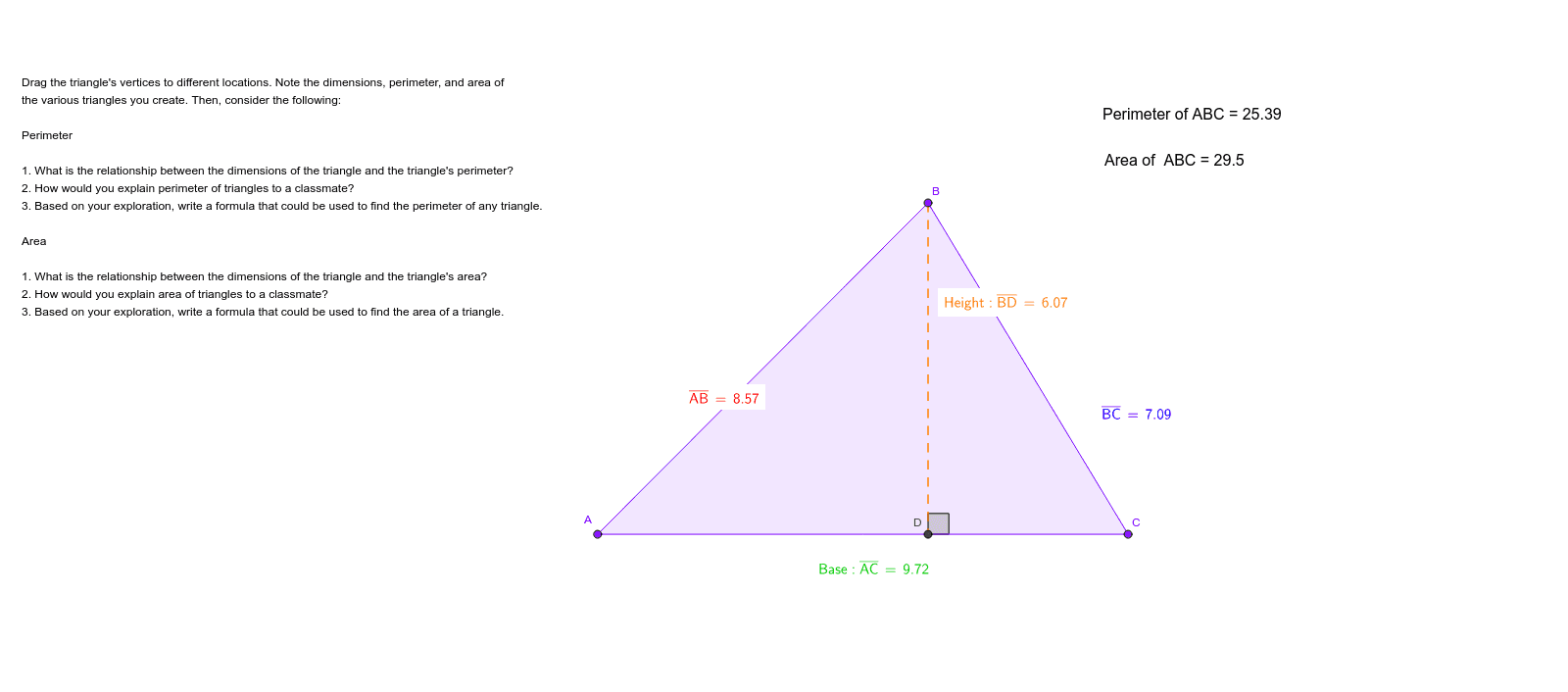
This example demonstrates how to dynamically visualize and calculate the perimeter and area of triangles using GeoGebra. It involves core math concepts like perimeter, area, triangle geometry, Pythagorean theorem, and centroid. Construction highlights include commands like Point, Polygon, OrthogonalLine, Distance, Intersect, Segment, and Angle. Suitable for middle school and above students for geometry learning and concept understanding.
GeoGebra Commands & Parameters
Point(xAxis) → APoint(xAxis) → CPolygon(A, B, C) → poly1, c, a, bOrthogonalLine(B, xAxis) → dDistance(B, xAxis) → distanceBxAxisIntersect(d, xAxis) → DSegment(B, D) → eDistance(B, D) → distanceBDPoint(xAxis) → EAngle(E, D, B) → αDistance(A, B) → distanceABDistance(B, C) → distanceBCDistance(A, C) → distanceACDistance(A, B) → ABDistance(B, C) → BCDistance(A, C) → AC
AI Drawing Prompt Reference
Draw a triangle and dynamically display its perimeter and area. Mark two points on the x-axis and use them along with another point to form the triangle. Draw perpendicular lines from the vertices to the x-axis and find the feet of the perpendiculars. Measure the lengths of the triangle's sides and the perpendicular segments, then calculate the perimeter and area. Additionally, mark another point on the x-axis and measure the angles between this point, the foot of the perpendicular, and the triangle's vertices for further analysis.
The prompt above was compiled from the original drawing commands and is for reference only.