
Exploring Symmetry on a Geoboard (Student Version)
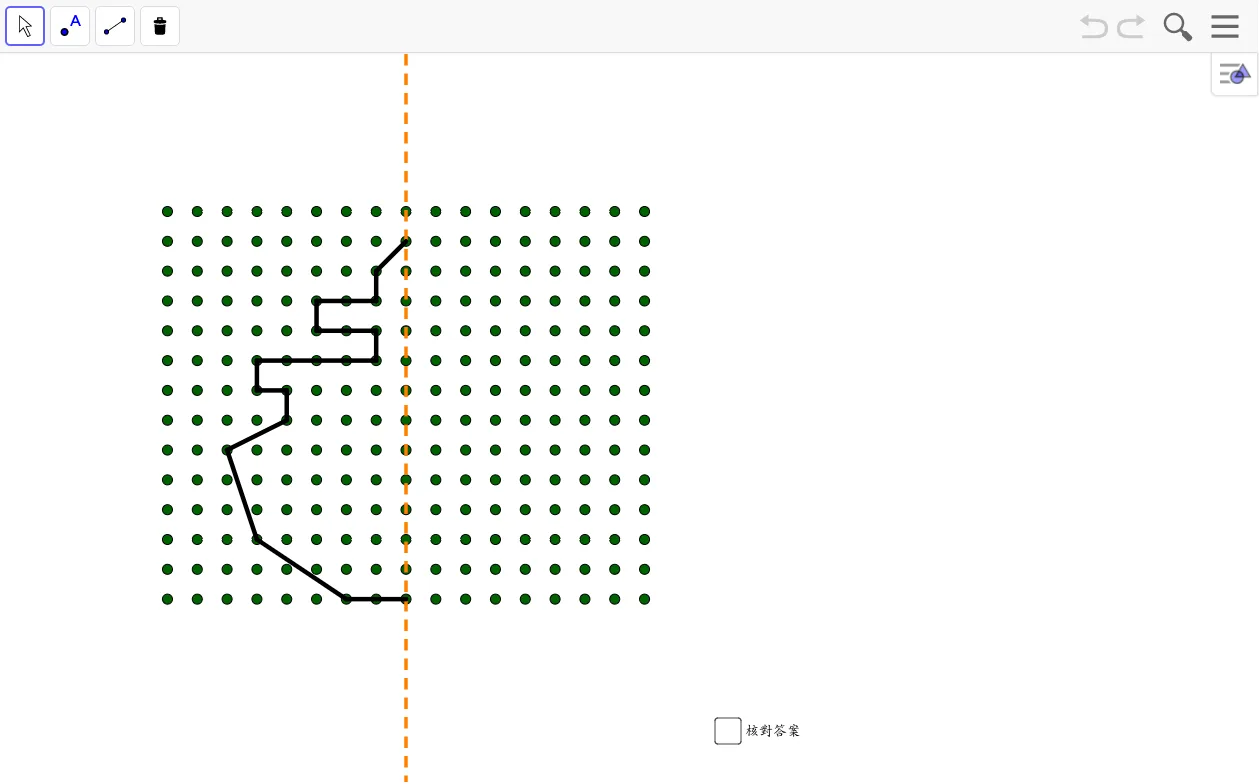
This GeoGebra applet, titled Exploring Symmetry on a Geoboard, provides an interactive environment for students to investigate axisymmetric (reflection) transformations using the classic geoboard model. The applet is built around the geoboard concept, in which a grid of evenly spaced pegs or nails represents a coordinate plane, and rubber bands stretched between pegs form line segments, polygons, and other geometric figures. The central learning goal is to develop an intuitive, visual, and coordinatized understanding of axial symmetry: how a figure maps to its mirror image across a specified axis of symmetry, and what properties are preserved or changed under this transformation.
The applet makes use of the GeoGebra commands Mirror and Sequence. The Mirror command constructs the reflection of any selected point, segment, or polygon across a designated axis line. By repeatedly applying Mirror to the vertices of a polygon, the applet produces the complete reflected image. The Sequence command is used to generate ordered collections of points or objects along a line or within a region, enabling the geoboard grid and auxiliary construction points to be created efficiently. Together, these commands support a dynamic construction workflow in which the original polygon and its reflected image are displayed simultaneously, allowing learners to compare corresponding vertices, edges, and angles directly on the board.
Students interact with the applet by moving pegs, dragging the axis of symmetry, or adjusting the parameters of the construction. As the axis or the original figure is altered in real time, the reflected image updates immediately, reinforcing the causal relationship between the axis position and the resulting symmetry mapping. Through this interactivity, students observe that corresponding points are equidistant from the axis, that the segment connecting a point and its image is perpendicular to the axis, and that the overall shape and size of the figure remain unchanged after reflection. These observations align with the formal properties of congruence and geometric transformation.
The coordinate grid implicit in the geoboard model further strengthens the connection between visual intuition and algebraic reasoning. Students can read off the coordinates of original points and their mirror images, detect the numerical patterns (such as sign changes or fixed-coordinate components depending on whether the axis is horizontal, vertical, or diagonal), and relate these patterns to the definition of axial symmetry in the coordinate plane. This bridges the gap between concrete manipulation and abstract mathematical generalization, supporting a deeper and more durable understanding.
The applet is designed primarily for classroom interaction and student-led exploration in the context of geometric transformations and congruent figures. Teachers can use it as a demonstration tool to introduce the concept of reflection, or as an investigative resource for students to formulate and test conjectures about symmetry properties. By combining dynamic geometry, coordinate reasoning, and hands-on interaction, the Exploring Symmetry on a Geoboard applet serves as an effective, visually engaging instructional aid for middle school and high school geometry curricula focused on transformations, congruence, and the properties of symmetric figures.
Loading the math board and drawing, please wait…