
Exploring Area Variation of Rectangles with Fixed Perimeter
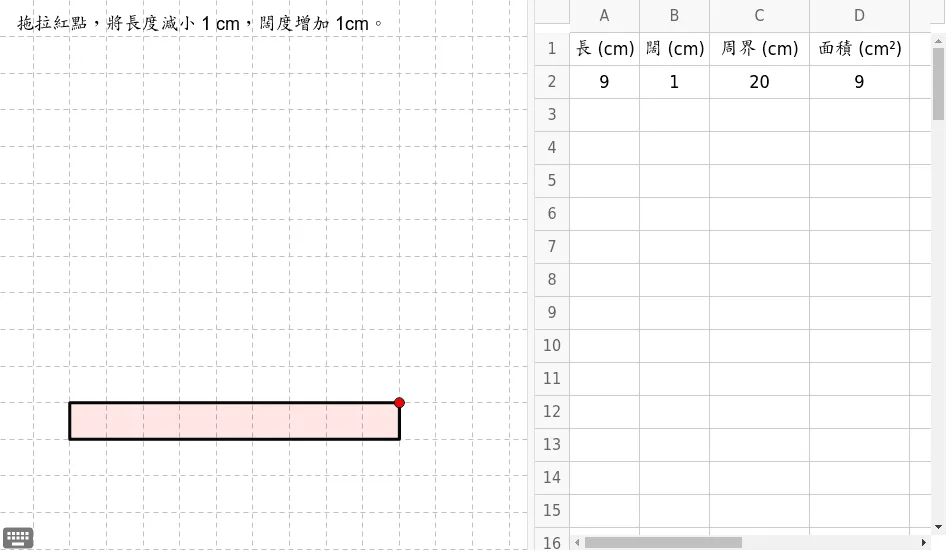
This GeoGebra applet explores how the area of a rectangle changes when its perimeter is held constant. By dynamically adjusting the length and width while maintaining a fixed perimeter, students can visually observe how the area varies with the ratio of sides and discover that the area is maximized when the rectangle approaches a square. The applet combines geometric construction with a parabolic function graph, helping students understand that area and perimeter are independent geometric quantities. Through interactive manipulation of the rectangle's dimensions, learners watch in real time how the area increases and decreases as the side lengths shift, while simultaneously observing the corresponding trajectory on the quadratic function curve. This dual representation strengthens the connection between geometry and algebra, allowing students to see the vertex of the parabola correspond to the square configuration that yields maximum area. The applet fosters optimization thinking and function modeling skills by encouraging students to experiment, make conjectures, and verify their observations. It is particularly useful for middle school and high school learners studying perimeter, area, quadratics, and optimization problems. The interface is intuitive: students drag sliders or adjust the rectangle directly to change side lengths, and all visual feedback updates instantly. This hands-on exploration promotes discovery-based learning and deepens conceptual understanding beyond rote formula application.
Loading the math board and drawing, please wait…