
Derivative as a Gradient Function
Loading the math board and drawing, please wait…
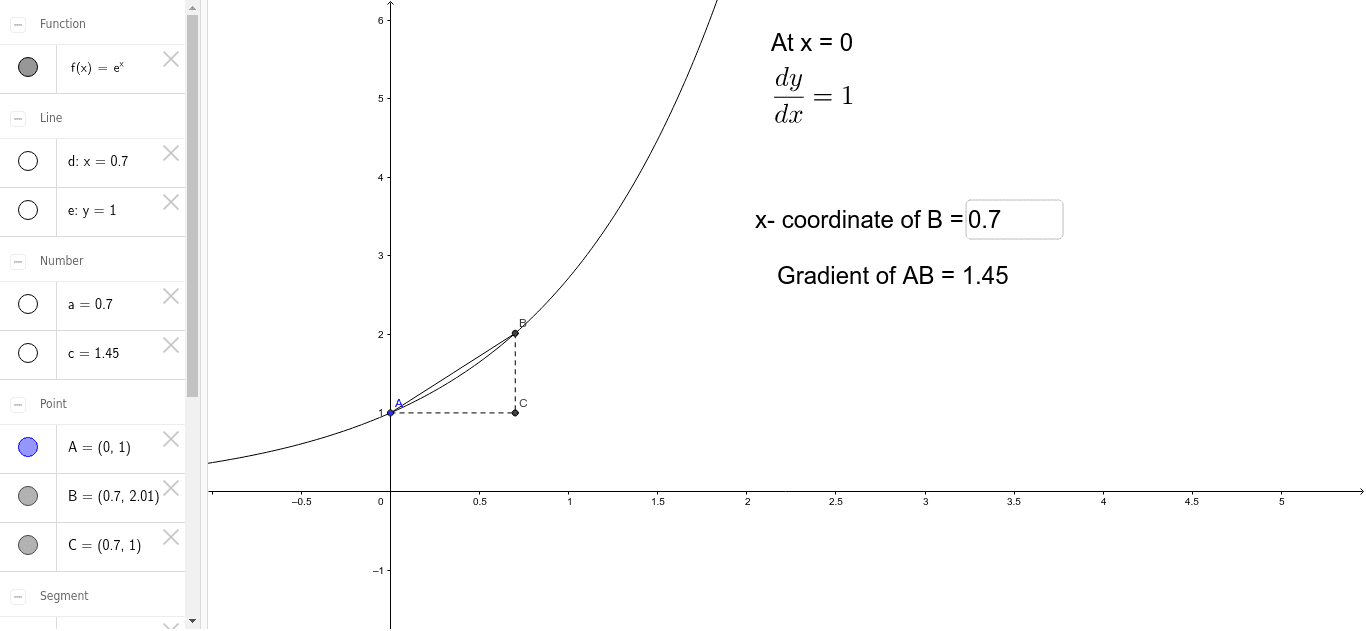
This example demonstrates how to use GeoGebra to construct the derivative of a function as a gradient function. The core mathematical concepts involved include derivatives, slopes, orthogonal lines, and intersections. Construction highlights the use of commands and objects such as Textfield, Segment, Slope, OrthogonalLine, and Intersect. Suitable for high school mathematics education, helping students understand the geometric meaning of derivatives and the construction method of gradient functions.
GeoGebra Commands & Parameters
Textfield(a) → inputBox1Segment(A, B) → bSlope(b) → cOrthogonalLine(B, xAxis) → dOrthogonalLine(A, yAxis) → eIntersect(d, e) → CSegment(B, C) → gSegment(A, C) → h
AI Drawing Prompt Reference
Draw a function graph and show how the derivative acts as a gradient function. Start by plotting a line segment representing the tangent at a point on the function, then find its slope. Next, draw two perpendicular lines to the coordinate axes passing through the tangent point and the opposite endpoint, and find their intersection point. This point is the vertex of the gradient function. Finally, connect the vertex to the endpoints of the tangent line and the gradient function vertex to complete the geometric construction.
The prompt above was compiled from the original drawing commands and is for reference only.