
Demonstration of Triangle's Orthocenter Construction and Properties
Loading the math board and drawing, please wait…
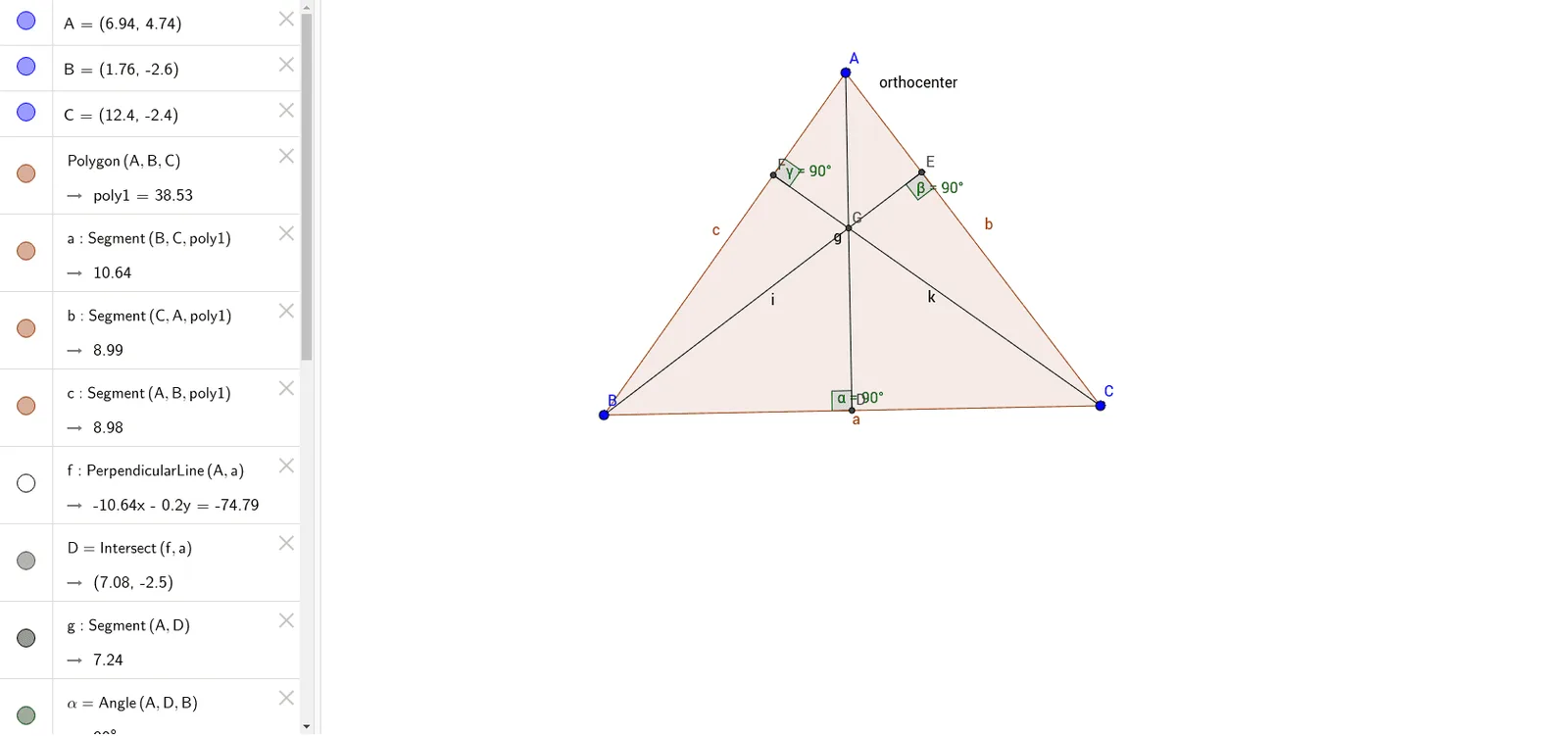
This example demonstrates how to construct the orthocenter of a triangle using GeoGebra and illustrates its related properties. The core mathematical concepts involved include orthocenter, triangle geometric construction, and analytical geometry methods. Construction highlights are derived from GeoGebra commands: Polygon for triangle drawing, OrthogonalLine for perpendicular line construction, Intersect for intersection point finding, Segment for line segment connection, and Angle for angle measurement. Suitable for high school mathematics teaching to understand the orthocenter of a triangle and its applications.
GeoGebra Commands & Parameters
Polygon(A, B, C) → poly1, c, a, bOrthogonalLine(A, a) → fIntersect(f, a) → DSegment(A, D) → gAngle(A, D, B) → αOrthogonalLine(B, b) → hIntersect(h, b) → ESegment(B, E) → iAngle(B, E, C) → βOrthogonalLine(C, c) → jIntersect(j, c) → FSegment(F, C) → kAngle(C, F, A) → γIntersect(g, i) → G
AI Drawing Prompt Reference
Draw an arbitrary triangle with three vertices. From each vertex, construct a perpendicular line to the opposite side, marking the foot of each perpendicular. Connect each vertex to its corresponding foot, creating three altitude segments. Measure and label the angles formed between each altitude segment and the adjacent side. The three altitude segments intersect at a single point, which is the orthocenter of the triangle. Clearly display the triangle, the three perpendicular lines, the feet, the altitude segments, the angle labels, and highlight the orthocenter.
The prompt above was compiled from the original drawing commands and is for reference only.