
Creating Symmetric Figures Level 2
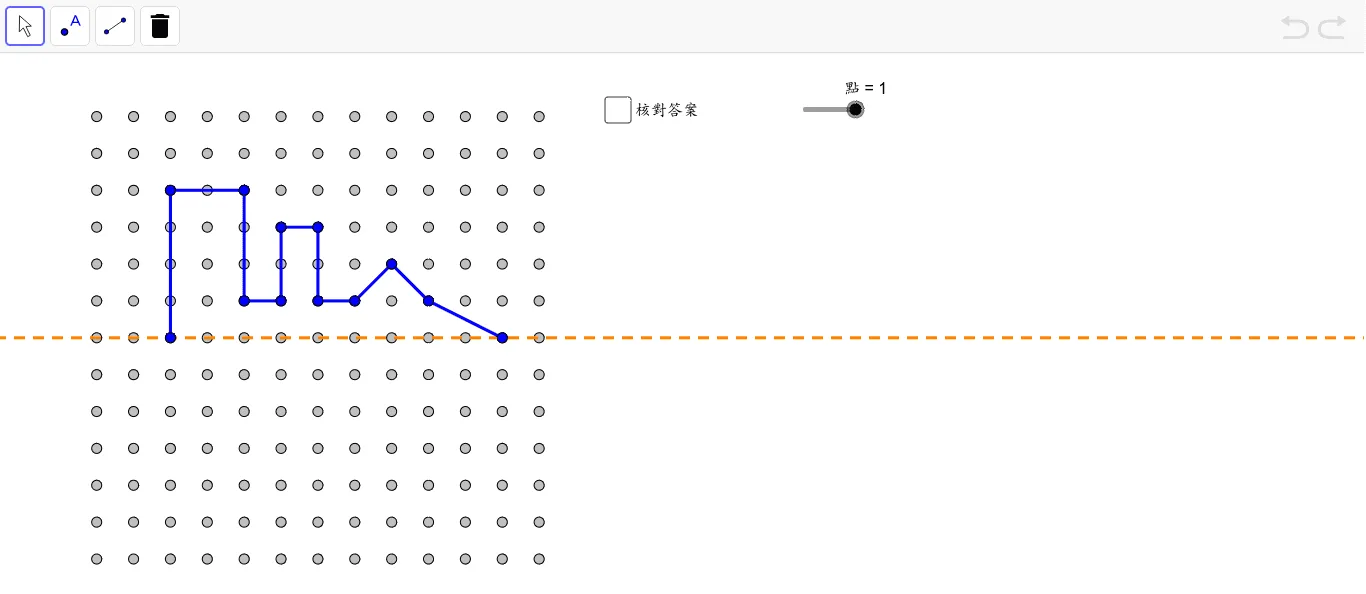
This GeoGebra example demonstrates how to construct complex symmetric figures using reflection transformations. By defining an axis of symmetry and the vertices of the original figure, the mirror command is used to generate corresponding symmetric points (e.g., C', D'), which are then connected by segments to form the complete symmetric polygon. It is an excellent resource for learning geometric construction, reflection transformations, and basic applications of two-dimensional vectors. Through interactive exploration, students can drag the vertices of the original figure and adjust the position of the axis of symmetry to observe how the reflected figure changes in real time. This dynamic manipulation reinforces the understanding that reflection preserves distance and angle measures while reversing orientation. The applet also illustrates the relationship between a point and its image across a line, showing that the axis of symmetry acts as the perpendicular bisector of the segment connecting each point to its reflected counterpart. Teachers and learners can use this tool to explore different configurations of symmetric shapes, including polygons with varying numbers of sides, and investigate properties such as congruence between the original and reflected figures. The exercise is particularly well suited for students who are studying transformations in the plane and need visual and hands-on experience with the mechanics of geometric reflection.
Loading the math board and drawing, please wait…