
Cosine Derivative with Chain Rule
Loading the math board and drawing, please wait…
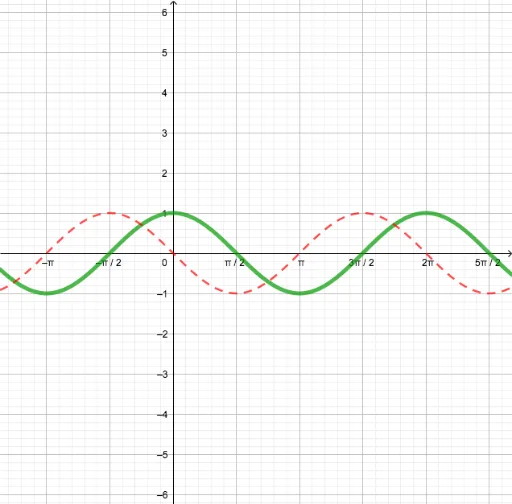
This example demonstrates how to use GeoGebra to plot the derivative of a cosine function and illustrate the chain rule. Key math concepts include cosine function, derivative, chain rule, unit circle, and tangent lines. Construction highlights involve commands like Point, Tangent, Locus, and objects a, f, A, g, B, loc1. Suitable for high school mathematics education to visually explain the geometric meaning of derivative of composite functions.
GeoGebra Commands & Parameters
Point(f) → ATangent(A, f) → gLocus(B, A) → loc1
AI Drawing Prompt Reference
Plot the cosine function, select a point A on it, draw the tangent line g at point A, and then draw the locus of a unit circle centered at A as loc1, illustrating the geometric meaning of the derivative of composite functions and the chain rule.
The prompt above was compiled from the original drawing commands and is for reference only.