
Circle Equations: Cartesian and Parametric Forms
Loading the math board and drawing, please wait…
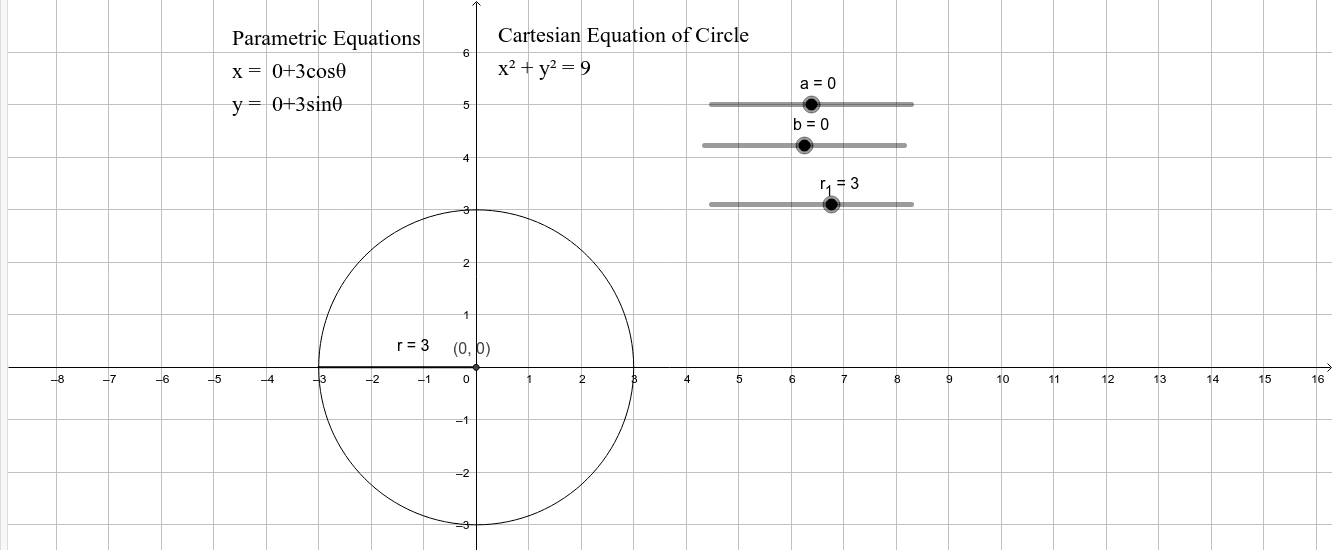
This GeoGebra example demonstrates the graph of a circle in the Cartesian coordinate plane and investigates its representation in both Cartesian standard and parametric forms. Core mathematical concepts include the standard equation of a circle (x-a)^2+(y-b)^2=r^2, parametric equations x=a+r cos(t), y=b+r sin(t), analytic geometry, and the geometric meaning of center coordinates and radius. Construction highlights: the example uses GeoGebra commands Point to create center points A and B and related points, Segment to construct connecting segments, and objects a, b, r_1, r to define center coordinates and radius, with object c drawing the circle and text1, text2 displaying the equations. Suitable for high school analytic geometry instruction, classroom demonstrations, and independent exploration, helping students visualize the correspondence between algebraic equations and geometric figures.
GeoGebra Commands & Parameters
Point(c) → BSegment(A, B) → r
AI Drawing Prompt Reference
Draw a circle on a Cartesian plane, mark its center and a radius segment from the center to a point on the circumference, and display beside the figure the standard equation (x‑a)²+(y‑b)²=r² together with the parametric form x=a+r·cos t, y=b+r·sin t to illustrate the link between algebraic and geometric representations. Include the center coordinates (a,b) and radius r as labeled parameters, show the circle’s outline clearly, and ensure the equations are positioned near the circle for easy comparison.
The prompt above was compiled from the original drawing commands and is for reference only.