
Areas of Parallelograms
Loading the math board and drawing, please wait…
In collections
Area of shapes
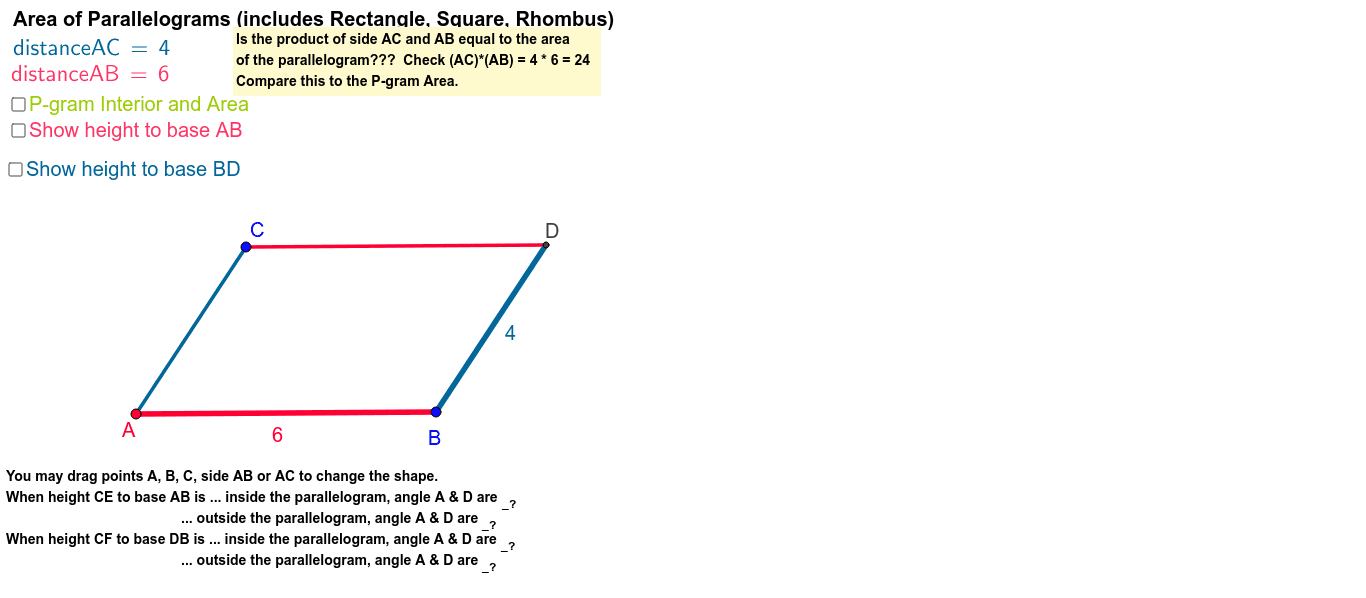
This example demonstrates how to find the area of a parallelogram using base and height measurements. Key mathematical concepts include the properties of parallelograms and the area formula. Using GeoGebra commands such as Segment, Line, Intersect, Vector, Distance, etc., the area can be dynamically shown to change. Suitable for middle school and above students to learn geometric construction and area calculation.
GeoGebra Commands & Parameters
Segment(B, A) → aLine(C, a) → bSegment(A, C) → cLine(B, c) → dIntersect(b, d) → DSegment(C, D) → eSegment(D, B) → fOrthogonalLine(C, a) → gVector(C, D) → uDistance(A, C) → distanceACDistance(A, B) → distanceABPolygon(A, B, D, C) → poly3, a_2, b_1, d_2, c_3LaTeX(poly3, true, true) → text1OrthogonalLine(C, f) → mSegment(A, B) → qSegment(B, D) → tLaTeX(distanceAB, true, true) → text6LaTeX(distanceAC, true, true) → text7Line(A, B) → hLine(D, B) → nOrthogonalLine(C, h) → a_1OrthogonalLine(C, n) → c_1Intersect(a_1, h) → EIntersect(c_1, n) → FSegment(C, E) → d_1Segment(C, F) → e_1Segment(A, E) → f_1Segment(D, F) → g_1Angle(C, E, A) → αAngle(D, F, C) → β
AI Drawing Prompt Reference
Draw a parallelogram ABCD with points A, B, C, and D as vertices. First, draw line segments AB and CD, then draw line segments AD and BC. Next, find the midpoints E and F of AB and CD respectively. Draw a line through C that is perpendicular to AB. Finally, measure and display the lengths of AB and AC next to the diagram.
The prompt above was compiled from the original drawing commands and is for reference only.