
Area with Fixed Perimeter
Loading the math board and drawing, please wait…
In collections
Surface and Volume Applets
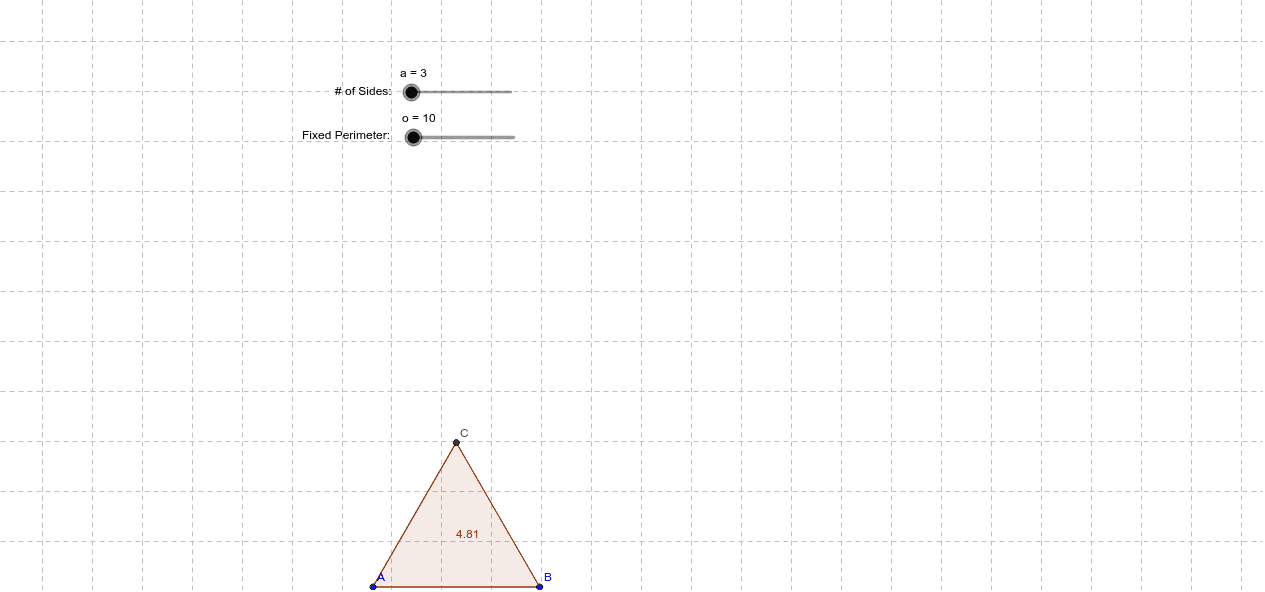
This example demonstrates how to change the area of a polygon while keeping its perimeter constant. Key mathematical concepts include polygons, area calculation, and perimeter. Using GeoGebra commands such as Polygon and Line, dynamic construction and observation of polygon changes are possible. Suitable for middle school and above students to learn geometric construction and the relationship between area and perimeter.
GeoGebra Commands & Parameters
Polygon(A, B, a) → poly1, b, k, l, m, n, p, q, r, s, t, a_1, c, b_1, c_1, d_1, e_1, f_1, g_1, h_1, i_1, j_1, k_1, d, l_1, m_1, n_1, p_1, q_1, r_1, s_1, t_1, a_2, b_2, e, c_2, d_2, e_2, f_2, g_2, h_2, i_2, j_2, k_2, l_2, f, m_2, C, D, E, F, G, H, I, J, K, g, L, M, N, O, P, Q, R, S, T, U, h, V, W, Z, A_1, B_1, C_1, D_1, E_1, F_1, G_1, i, H_1, I_1, J_1, K_1, L_1, M_1, N_1, O_1, P_1, Q_1, j, R_1, S_1, T_1, U_1, V_1, W_1, Z_1, A_2, B_2
AI Drawing Prompt Reference
Draw a polygon with a fixed perimeter but variable area. Start by creating two fixed points A and B as two vertices of the polygon. Then, use A, B, and a movable point a to construct a polygon. By dragging point a, observe how the area of the polygon changes while keeping its perimeter constant.
The prompt above was compiled from the original drawing commands and is for reference only.