
Area vs. Perimeter: Interactive Quadrilateral Demo
Loading the math board and drawing, please wait…
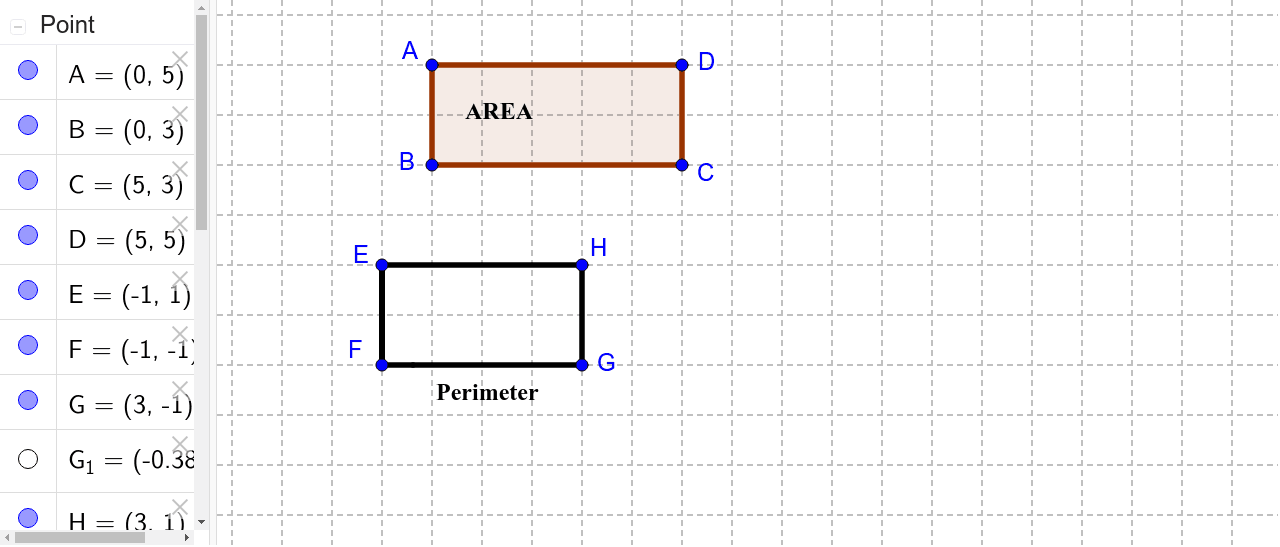
①This GeoGebra example demonstrates the difference between area and perimeter using a draggable general quadrilateral. ②Core math concepts include area, perimeter, general quadrilaterals, and polygon properties, emphasizing that area measures the interior region while perimeter measures the boundary length. ③Construction details: The example uses Point commands to create vertices A, B, C, D, Polygon to form poly1, Segment commands for sides a, b, c, d, and text objects text1 and text2 to display live values of area and perimeter; auxiliary points E, F, G, H and segments e, f, g, h, i are also included for measurement or labeling. ④Suitable for upper elementary to middle school students learning basic geometry, and for teachers to illustrate how area and perimeter change differently when vertices are dragged, helping students avoid common misconceptions.
GeoGebra Commands & Parameters
Point(Circle[A, 2]) → BPolygon(A, B, C, D) → poly1, a, b, c, dSegment(E, F) → eSegment(F, G_1) → fSegment(G, G_1) → gSegment(G, H) → hSegment(E, H) → i
AI Drawing Prompt Reference
Draw a quadrilateral ABCD with points A, B, C, and D as vertices. Then draw the four sides a, b, c, and d of the quadrilateral and display the area and perimeter of the quadrilateral in the diagram. Finally, add auxiliary segments e, f, g, h, and i for measurement or labeling.
The prompt above was compiled from the original drawing commands and is for reference only.