
Area of a Triangle in 3D Space
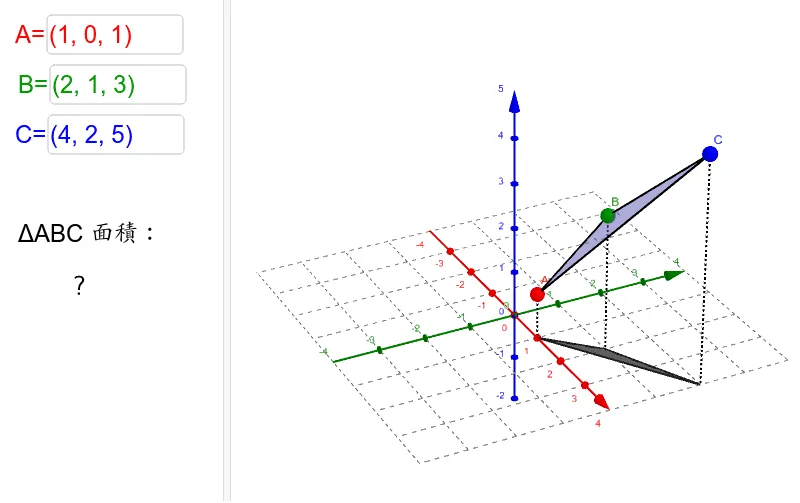
This GeoGebra applet demonstrates how to calculate the area of a triangle in three-dimensional space. Users can customize the spatial coordinates of the triangle's three vertices, A, B, and C, using input boxes. The system automatically calculates and displays the area using vector operations, specifically leveraging the cross product method where the area equals half the magnitude of the cross product of two side vectors. The interface features polygon drawing, segment connections, and LaTeX text rendering, providing an intuitive visual presentation of the triangle within a 3D coordinate system. As students manipulate the vertex coordinates, the triangle dynamically updates in real time, reinforcing the geometric relationship between the algebraic computation and the visual representation. This interactive exploration helps learners connect vector arithmetic with spatial reasoning, deepening their understanding of how dot products and cross products operate in analytic geometry. The applet is well-suited for classroom instruction or self-study in solid geometry and vector calculus courses, allowing educators to illustrate key concepts such as vector subtraction, cross product magnitude, and area computation in a visually engaging environment. By adjusting vertices and observing immediate changes in both the diagram and the computed area, students develop an intuitive grasp of three-dimensional geometry that complements traditional textbook explanations.
Loading the math board and drawing, please wait…