
Angle Between Two Planes Demonstration by irwinchan
This GeoGebra applet demonstrates how to calculate and visualize the angle between two planes in three-dimensional space. It provides an interactive, step-by-step construction that guides learners through the process of finding a dihedral angle using both geometric reasoning and vector-based methods.
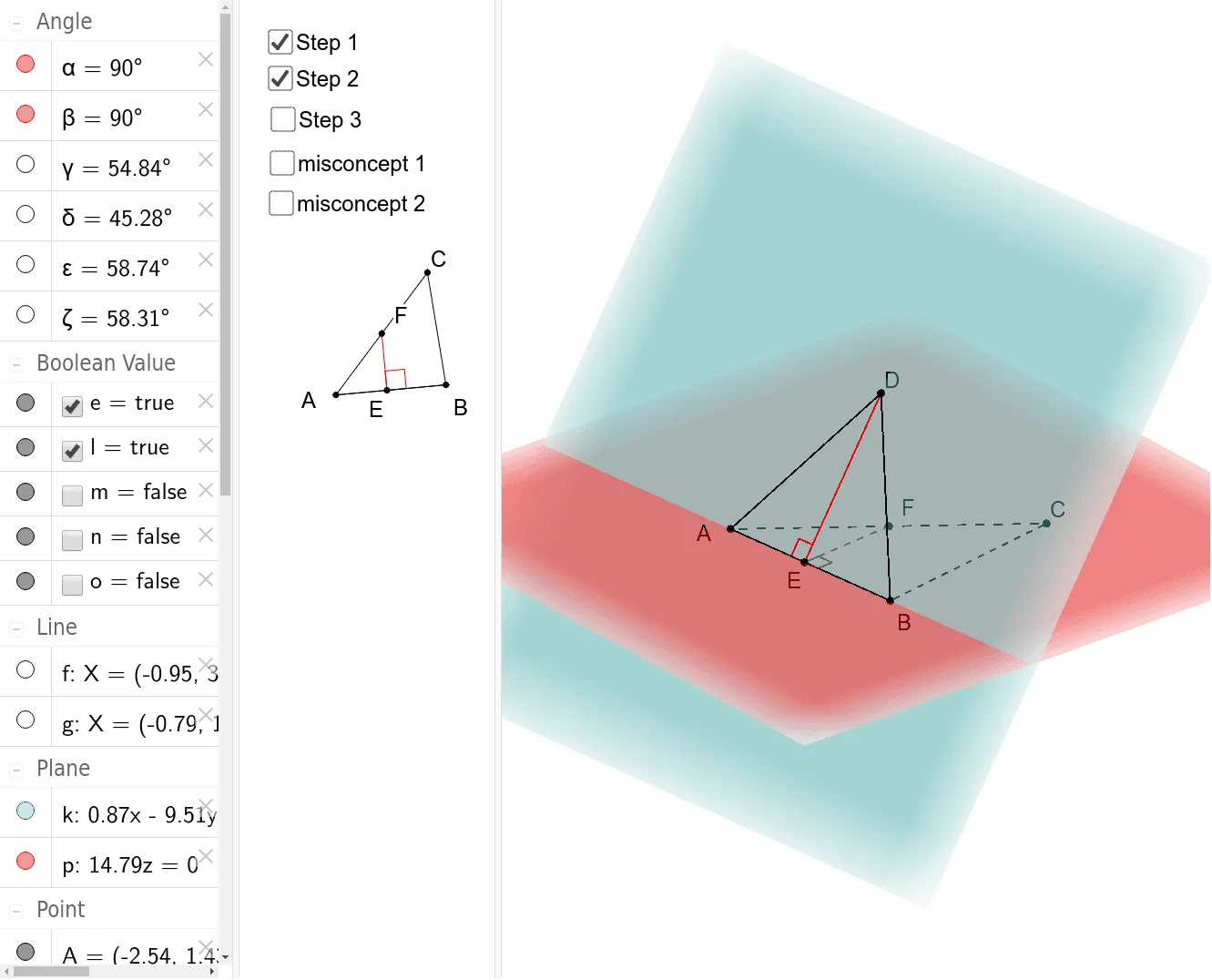
The applet begins by presenting two intersecting planes represented as colored polygons in a 3D coordinate system. Students can drag vertices of the polygons to reshape the planes and observe in real time how the angle between them changes. This dynamic manipulation helps learners develop an intuitive understanding of how plane orientation affects the dihedral angle.
Key constructions include perpendicular (orthogonal) lines drawn from points on one plane to the line of intersection, along with segment connections and intersection points. These elements form the classic geometric configuration used to define and measure a dihedral angle: the angle between two lines, each lying in one of the planes and both perpendicular to the line of intersection at the same point. The applet highlights this angle clearly so students can see exactly which angle is being measured.
From a vector perspective, the applet illustrates how normal vectors to each plane can be computed and then used with the dot product formula to determine the angle. This connects the geometric construction to the algebraic method, reinforcing the relationship between spatial intuition and symbolic computation.
The tool also incorporates the law of cosines as an alternative verification method when triangle measurements are available within the construction, giving students multiple pathways to confirm their results.
This applet is designed for secondary and early undergraduate students studying solid geometry, vector algebra, and three-dimensional coordinate geometry. It is especially useful for visual learners who benefit from manipulating objects directly rather than working solely from static diagrams or equations. By combining hands-on interaction with rigorous mathematical content, the applet supports deeper conceptual understanding of dihedral angles and their calculation methods.
Loading the math board and drawing, please wait…