
Working with the Value Table: Interactive Function Practice
Loading the math board and drawing, please wait…
In collections
Einführung Funktionsbegriff
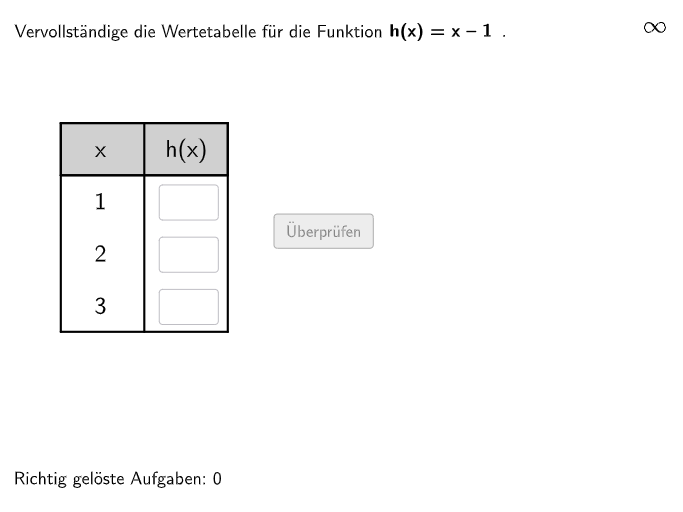
① This interactive example for middle school students demonstrates how to use a function's value table to understand functional relationships and switch between function equations, tables, and graphs. ② The core mathematical concepts are the multiple representations of real functions—equation, table, and graph—and the transitions between them, fostering intuitive understanding of functions. ③ Cons
GeoGebra Commands & Parameters
Textfield(input1) → InputBox1Textfield(input2) → InputBox2Join({Shuffle[{2, 3, 13}], Shuffle[{1, 4, 5, 6, 7, 8, 9, 10, 11, 12, 14, 15, 16, 17}]}) → randomNosForFunctionElement(randomNosForFunction, Mod[questionCount, 100] + 1) → selFunctionShuffle(1…8) → randomNosForNums, {4, 5, 7, 6, 1, 8, 2, 3}Element(randomNosForNums, Mod[questionCount2, 100] + 1) → selNumShuffle({{1, 2, 3}, {-1, 0, 1}, {2, 4, 6}, {-3, -2, -1}, {0, 1, 2}, {-5, 0, 5}, {0, 5, 10}, {-4, -2, 0}}) → listNums, {{-5, 0, 5}, {0, 1, 2}, {0, 5, 10}, {1, 2, 3}, {-3, -2, -1}, {-1, 0, 1}, {-4, -2, 0}, {2, 4, 6}}Textfield(input3) → InputBox3Polygon(PtopLeftCornerFeedback, PtopRightCornerFeedback, PbottomRightCornerFeedback, PbottomLeftCornerFeedback) → rectangleCorrect, rectangleCorrectS3, rectangleCorrectS4, rectangleCorrectS2, rectangleCorrectS1Polygon(A, B, C, D) → q1, a_1, b_1, c_1, d_1Midpoint(A, B) → GMidpoint(A, D) → EMidpoint(E, D) → FMidpoint(A, E) → HMidpoint(B, C) → IMidpoint(I, C) → JMidpoint(B, I) → KMidpoint(D, C) → LSegment(H, K) → kSegment(G, L) → lPolygon(A, H, K, B) → q2, a_2, h_1, k_1, b_2Intersect(l, k) → M