
Umkehraufgaben - Volumen: Volume Calculation and Geometric Construction
Loading the math board and drawing, please wait…
In collections
Wiederholung: Quader und Würfel
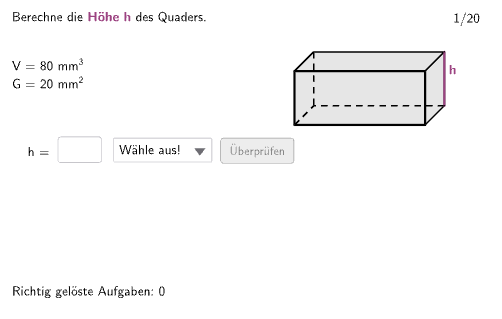
This example demonstrates volume calculation using geometric shapes, involving cubes, parallelograms, and other solids. It uses GeoGebra commands like Random, Shuffle, Join, and objects like Polygon, Segment. Suitable for middle school students to learn volume concepts and geometric construction techniques.
GeoGebra Commands & Parameters
Random(1, 4) → randoEinheitShuffle(Sequence[i, i, 1, 20]) → RandoExListHelperHelper, {7, 2, 17, 9, 1, 5, 11, 16, 13, 4, 12, 14, 6, 10, 15, 8, 3, 19, 18, 20}Join({{9}, RandoExListHelper}) → RandoExListIf(ex < 11, 1, 2) → TypIf(ex < 11, ex, ex - 10) → StepTextfield(input1) → InputBox1Textfield(input2) → InputBox2Polygon(PtopLeftCornerFeedback, PtopRightCornerFeedback, PbottomRightCornerFeedback, PbottomLeftCornerFeedback) → rectangleCorrect, ptopleftcornerfeedback, ptoprightcornerfeedback, pbottomrightcornerfeedback, pbottomleftcornerfeedbackSegment(Q1, Q1') → q1Segment(Q4', Q1') → q2Segment(Q2', Q1') → q3Polygon(Q1, Q2, Q2', Q1') → G, q3', q4', q2', q1'Segment(Q2', Q3') → hSegment(Q1, Q2) → aSegment(Q2, Q2') → bSegment(Q3', Q2') → cElement(ListCorrectG, Step) → AuswahlGElement(ListCorrectH, Step) → AuswahlHElement(ListCorrectA, Step) → AuswahlAElement(ListCorrectB, Step) → AuswahlBElement(ListCorrectC, Step) → AuswahlCElement(ListCorrectV1, Step) → AuswahlV1Element(ListCorrectV2, Step) → AuswahlV2If(gesG, "G = ", If[gesH, "h = ", If[gesA, "a = ", If[gesB, "b = ", If[gesC, "c = "]]]]) → solhelper1