
Triangle Construction: Geometric Drawing and Angle Measurement
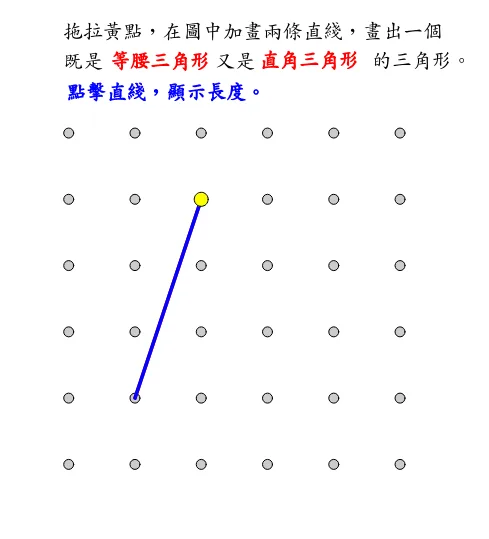
This GeoGebra applet demonstrates how to construct a triangle on a geoboard and perform geometric analysis. Using polygon and angle commands, it dynamically displays the measurement of side lengths and interior angles. Combined with ruler and compass elements along with sequence commands, it helps learners intuitively understand the properties of isosceles and right triangles, as well as trigonometric applications, the law of cosines, and fundamental triangle relationships. Students can interactively drag vertices to observe how angle measures and side lengths change in real time, reinforcing their grasp of geometric principles through hands-on exploration. The applet also supports step-by-step construction using classical geometric tools, making it a versatile resource for both introductory geometry lessons and more advanced topics involving triangle congruence, similarity, and trigonometric ratios.
In collections
Grade 3 Semester 2: Triangles (Teacher's Edition)
Grade 3 Semester 2: Triangles (Student Edition)
Loading the math board and drawing, please wait…