
Three-View Drawing of a Cone
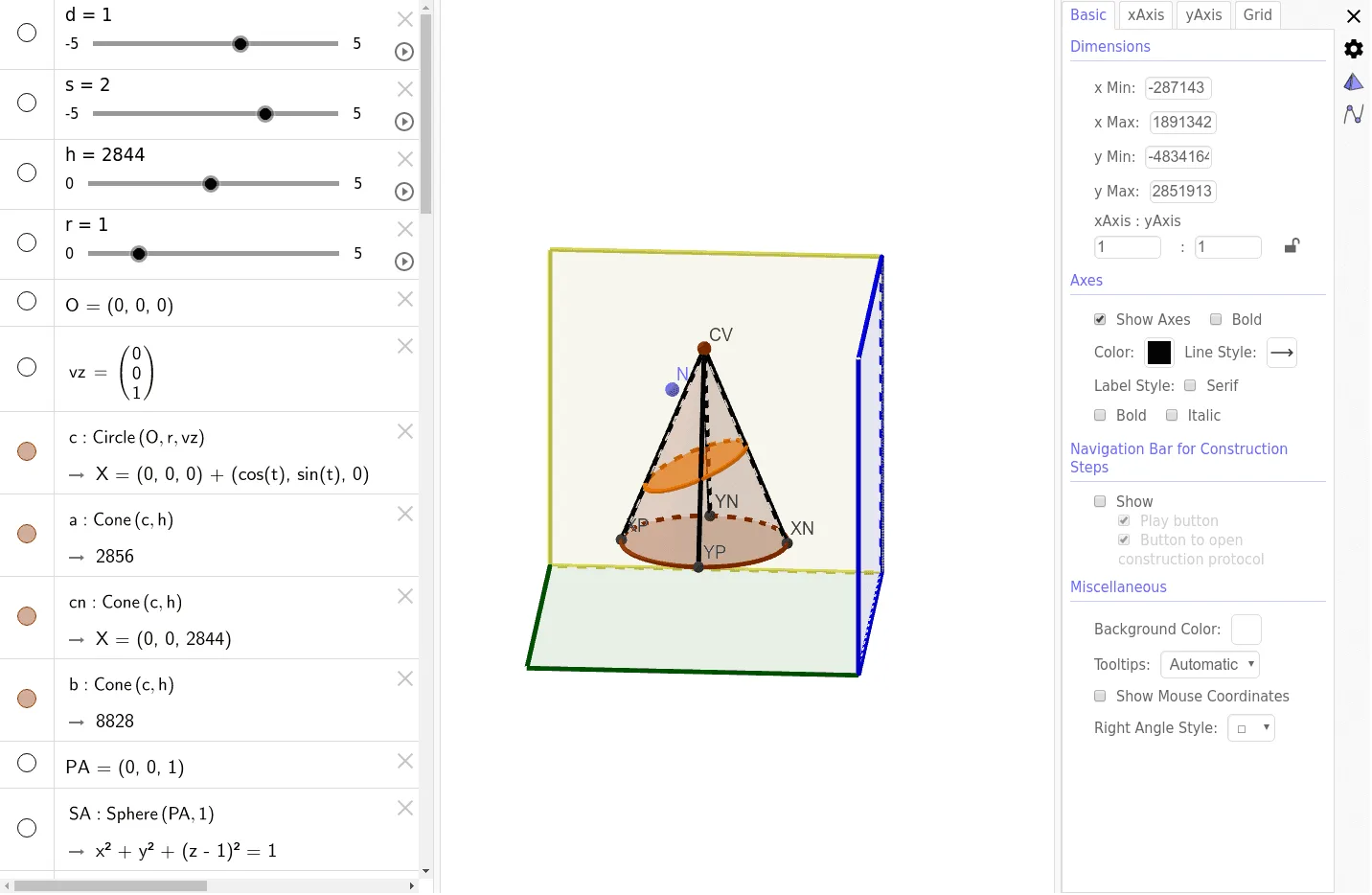
This GeoGebra applet provides a comprehensive and interactive demonstration of the three-view drawing, also known as orthographic projection, of a right circular cone. In solid geometry and technical drawing, representing a three-dimensional object on a two-dimensional surface requires projecting the object onto three mutually orthogonal planes: the frontal, horizontal, and profile planes. This applet visually deconstructs this process, showing exactly how the front view, top view, and side view of a cone are generated and how they relate to one another.
At the core of the applet is a dynamic 3D model of a cone situated within a transparent three-plane projection system. Users can interact with the model by rotating the entire spatial setup to observe the cone from any angle. This free rotation is crucial for building spatial intuition, as it allows students to see how the 3D object aligns with the projection planes before the actual 2D views are cast. The applet includes interactive sliders that allow users to adjust the geometric parameters of the cone, such as the radius of its circular base and its vertical height. As these dimensions change, the projections on the orthogonal planes update in real time, instantly reflecting the new proportions in the resulting 2D views.
The mathematical concepts explored here are fundamental to descriptive geometry. Students will observe that the front and side views of a right cone appear as congruent isosceles triangles, where the base of the triangle corresponds to the diameter of the cone's base and the height corresponds to the cone's altitude. The top view appears as a circle with a central point representing the apex. The applet clearly illustrates the strict alignment rules of orthographic projection, demonstrating how the front and top views share the same width, the front and side views share the same height, and the top and side views share the same depth. Furthermore, it features an interactive toggle that unfolds the three orthogonal planes into a single flat 2D drawing sheet, demonstrating the standard layout used in technical drafting.
By bridging the gap between abstract spatial figures and concrete planar representations, this tool significantly benefits students. It transforms a traditionally challenging topic in solid geometry into an accessible, visual experience. Learners develop critical spatial reasoning and visualization skills, mastering the cognitive leap required to mentally reconstruct a 3D object from its 2D views. This foundational understanding is essential for high school mathematics and serves as a vital stepping stone for future studies in engineering, architecture, and technical design.
In collections
Conic Sections
Loading the math board and drawing, please wait…