
Simplify Fractions
Loading the math board and drawing, please wait…
In collections
Bruchzahlen: Erweitern und Kürzen
Wiederholung II: Erweitern & Kürzen, Darstellungsarten
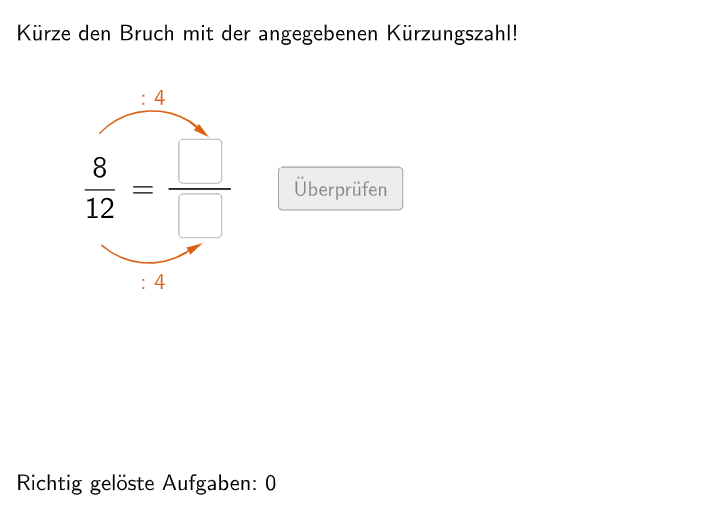
This example demonstrates how to simplify fractions. The core mathematical concept involved is the simplification of fractions. Using GeoGebra commands such as Join, Element, and If, the process of fraction simplification is visually demonstrated. Suitable for students in grades 5-6.
GeoGebra Commands & Parameters
Join({{4, 5}, Shuffle[Sequence[Random[2, 12], i, 1, 100]]}) → randomNosForZElement(randomNosForZ, Mod[questionCount, 100]) → numZJoin({{2, 3}, Shuffle[Sequence[Random[1, 4], i, 1, 100]]}) → randomNosForXJoin({{3, 4}, Shuffle[Sequence[Random[5, 9], i, 1, 100]]}) → randomNosForYIf(questionCount ≟ 1, aInput ≟ 2, aInput ≟ numX / numZ) → correct1If(questionCount ≟ 1, bInput ≟ 3, bInput ≟ numY / numZ) → correct2Textfield(aInput) → InputBox1Textfield(bInput) → InputBox2Polygon(PtopLeftCornerFeedback, PtopRightCornerFeedback, PbottomRightCornerFeedback, PbottomLeftCornerFeedback) → rectangleCorrect, ptopleftcornerfeedback, ptoprightcornerfeedback, pbottomrightcornerfeedback, pbottomleftcornerfeedbackDefined((aInput * bInput)) → fixedSegment(A, B) → fCircleArc(C, D, E) → cCircleArc(F, G, H) → dPoint(c) → IVector(I, J) → uPoint(d) → KVector(K, L) → vPolygon(PtopLeftCornerFeedback_{1}, PtopRightCornerFeedback_{1}, PbottomRightCornerFeedback_{1}, PbottomLeftCornerFeedback_{1}) → rectangleCorrect_{1}, ptopleftcornerfeedback_{1}, ptoprightcornerfeedback_{1}, pbottomrightcornerfeedback_{1}, pbottomleftcornerfeedback_{1}CircleArc(M, N, O) → eCircleArc(P, Q, R) → gPoint(e) → SVector(S, T) → wPoint(g) → UVector(U, V) → a