
Laaaange Rechnung - Dezimalzahlen
Loading the math board and drawing, please wait…
In collections
Wiederholung: Rechnen mit Dezimalzahlen und Brüchen
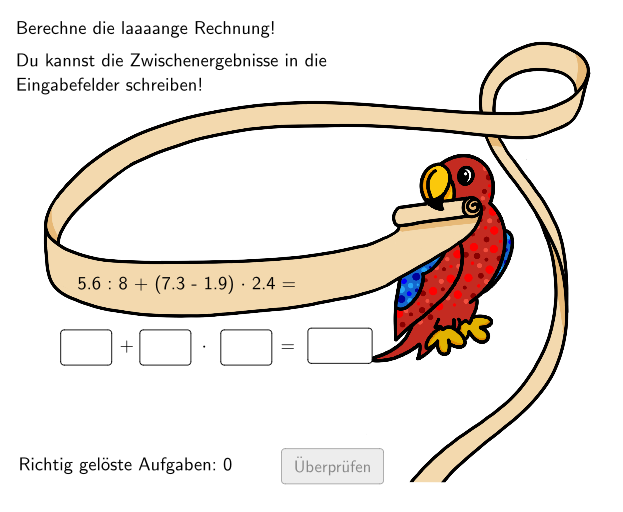
This example demonstrates how to use GeoGebra for decimal operations and practice exercises. Key mathematical concepts include order of operations and parentheses rules. Construction involves commands like Textfield, Join, Element, If, and Polygon. Suitable for elementary students aged 5-6 to reinforce math fundamentals and enhance computational skills.
GeoGebra Commands & Parameters
Textfield(dInput) → InputBox14Join(Sequence[Shuffle[{1, 2, 3, 4, 5, 6, 7, 8, 9, 10, 11, 12, 13}], i, 1, 9]) → CountElement(Count, questionCount) → countJoin(Sequence[Shuffle[{1, 2, 3}], i, 1, 33]) → LayoutElement(Layout, questionCount) → layoutElement(MC, count, 2) → c2Element(MC, count, 1) → c1Element(MC, count, 3) → c3Element(MC, count, 5) → c5Element(MC, count, 4) → c4Element(MB, count, 2) → b2Element(MB, count, 1) → b1Element(MB, count, 3) → b3Element(MB, count, 5) → b5Element(MB, count, 4) → b4Element(MA, count, 2) → a2Element(MA, count, 1) → a1Element(MA, count, 3) → a3Element(MA, count, 4) → a4Element(MA, count, 5) → a5If(layout ≟ 1, la4, If[layout ≟ 2, lb4, If[layout ≟ 3, lc4]]) → l4Textfield(cInput) → InputBox13If(layout ≟ 1, la3, If[layout ≟ 2, lb3, If[layout ≟ 3, lc3]]) → l3Textfield(bInput) → InputBox12If(layout ≟ 1, la2, If[layout ≟ 2, lb2, If[layout ≟ 3, lc2]]) → l2Textfield(aInput) → InputBox11If(layout ≟ 1, la1, If[layout ≟ 2, lb1, If[layout ≟ 3, lc1]]) → l1Polygon(PtopLeftCornerFeedback, PtopRightCornerFeedback, PbottomRightCornerFeedback, PbottomLeftCornerFeedback) → rectangleCorrect, ptopleftcornerfeedback, ptoprightcornerfeedback, pbottomrightcornerfeedback, pbottomleftcornerfeedbackPolygon(PbottomLeftCornerFeedback, PbottomRightCornerFeedback, PtopRightCornerFeedback, PtopLeftCornerFeedback) → rectangleCorrect2, f, g, h, iIf(layout ≟ 1, ((l3 - floor(l3)) * 10), (l3 * 100) - (100 * floor(l3))) → l32