
Heights in a Parallelogram
Loading the math board and drawing, please wait…
In collections
Parallelogramm und Raute: Flächeninhalt
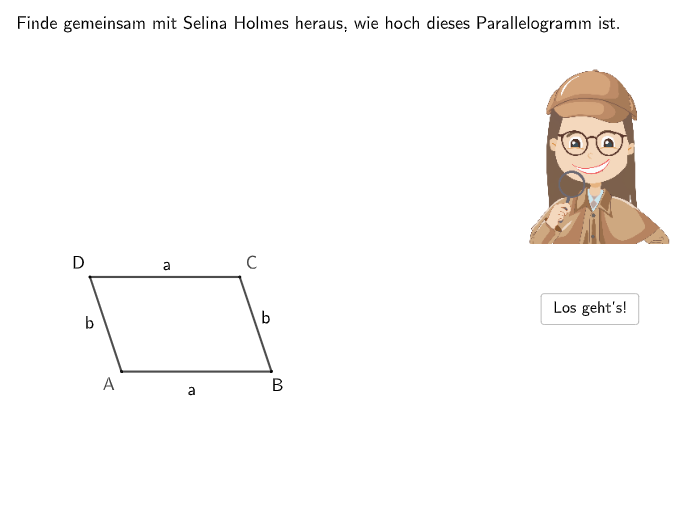
This example demonstrates identifying and constructing heights in a parallelogram. Key math concepts include properties of parallelograms, heights, and area formulas. Construction involves GeoGebra commands like Textfield, Segment, Rotate, Angle, Polygon, SpeechBubbleRight, Translate, Point, Line, Intersect, OrthogonalLine, Distance for drawing, rotation, intersection calculation, and distance measurement. Suitable for upper elementary or early middle school students for geometric construction and concept understanding.
GeoGebra Commands & Parameters
Textfield(input1) → InputBox1Textfield(input2) → InputBox2Textfield(input3) → InputBox3Textfield(input4) → InputBox4Segment(SchieneStart, SchieneEnde) → schieneRotate(A, (-rotation), B) → I'Rotate(D, (-rotation), B) → G'Rotate(C, (-rotation), B) → J'Angle(C, B, A) → αPolygon(A, B, C, D) → v1, a_1, b, c, dPolygon(B, J', G', I') → v2, b_1, j', g', i'SpeechBubbleRight(G, 11, 1.3) → Vieleck1SpeechBubbleRight(G, 11, 2) → Vieleck2Translate(SchieneStart, (0, 3.5)) → SchieneStart'Translate(SchieneEnde, (0, 3.5)) → SchieneEnde'Segment(SchieneStart', SchieneEnde') → schiene'Point(schiene') → GeoAnchorSegment(Q1, Q2) → iSegment(Q3, Q4) → kLine(A, B) → mIntersect(m, i) → QIntersect(m, k) → RSegment(R, Q) → qPoint(q) → HSegment(H, I) → fSegment(Q2, Q3) → jSegment(Q4, Q1) → lLine(B, C) → nIntersect(n, l) → SIntersect(n, j) → TPoint(b_1) → JOrthogonalLine(J, b_1) → hIntersect(h, g') → LAngle(L, J, B) → γSegment(L, J) → gAngle(I, H, Q + (-2, 0)) → βDistance(b, d) → eSegment(S, W) → pPoint(p) → ULine(A, D) → rOrthogonalLine(U, p) → sIntersect(s, r) → VSegment(U, V) → tAngle(V, U, T) → δSegment(A, Q) → strichliert1Segment(D, (x(Q), y(D))) → strichliert2Segment(B, R) → strichliert3Segment(C, (x(R), y(C))) → strichliert4Segment(C, S) → strichliert5Intersect(r, l) → ZIntersect(r, j) → A_1Intersect(b, t) → B_1Segment(A, A_1) → strichliert8Segment(B, T) → strichliert7Segment(Z, D) → strichliert6SpeechBubbleRight(P, 8, 2) → Vieleck3
AI Drawing Prompt Reference
Draw heights in a parallelogram and mark the corresponding angle relations. First place the four vertices A, B, C, D and connect them as a parallelogram. Construct the heights by taking a line through B and finding its intersections with the two opposite sides, giving points Q and R, then draw the height segment from the appropriate intersection point to the opposite side. Next, use the constructed vertical (orthogonal) lines to drop perpendiculars from the relevant points on the parallelogram sides, obtaining points H and L as feet of the heights, and draw the corresponding height segments such as H to I and L to J. Finally, include angle markings α, β, γ, and δ at the key points to show the angles between the heights and the related sides.
The prompt above was compiled from the original drawing commands and is for reference only.