
Function Value Table
Loading the math board and drawing, please wait…
In collections
Einführung Funktionsbegriff
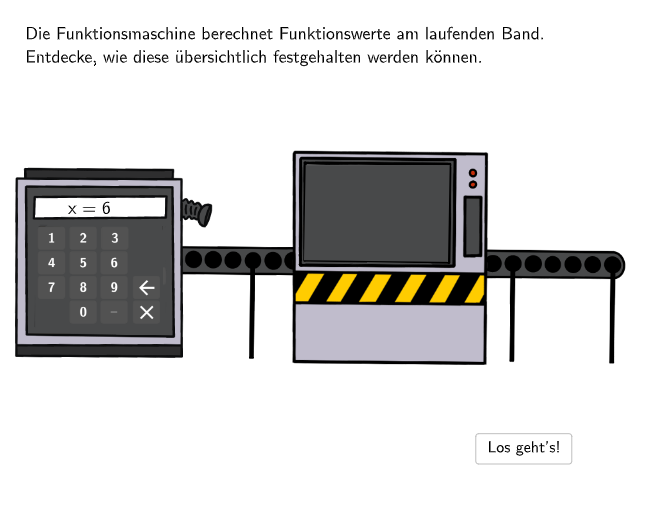
A function value table is an essential tool for describing the behavior of a function. This GeoGebra example demonstrates how to create a function value table and use it to analyze the properties of a function. Key mathematical concepts include functions, function graphs, and function value tables. Construction points include using GeoGebra's Sequence and Textfield objects to create a function val
GeoGebra Commands & Parameters
SelectedIndex(drop1) → index1SelectedIndex(drop2) → index2Sequence(A + (0, (-i)), i, 0, 7, width) → PointsLSequence(A + (4, (-i)), i, 0, 7, width) → PointsRSequence(Segment[PointsL(i), PointsR(i)], i, 1, Length[PointsL]) → l1Midpoint(A, PointsR(1)) → CMidpoint(PointsL(Length[PointsL]), PointsR(Length[PointsR])) → FSegment(C, F) → midlineSegment(PointsL(2), PointsR(2)) → row1Textfield(input1) → InputBox1Textfield(input2) → InputBox2Textfield(input3) → InputBox3Textfield(input4) → InputBox4Textfield(input5) → InputBox5Sequence(A_{1} + (4, (-i)), i, 0, 6, width) → PointsR_{1}Sequence(A_{2} + (4, (-i)), i, 0, 6, width) → PointsR_{2}Sequence(A_{3} + (4, (-i)), i, 0, 6, width) → PointsR_{3}Midpoint(A_{1}, PointsR_{1}(1)) → EMidpoint(A_{2}, PointsR_{2}(1)) → GMidpoint(A_{3}, PointsR_{3}(1)) → HSequence(A_{1} + (0, (-i)), i, 0, 6, width) → PointsL_{1}Sequence(A_{2} + (0, (-i)), i, 0, 6, width) → PointsL_{2}Sequence(A_{3} + (0, (-i)), i, 0, 6, width) → PointsL_{3}Segment(PointsL_{1}(2), PointsR_{1}(2)) → fSegment(PointsL_{2}(2), PointsR_{2}(2)) → gSegment(PointsL_{3}(2), PointsR_{3}(2)) → hMidpoint(PointsL_{1}(Length[PointsL_{1}]), PointsR_{1}(Length[PointsR_{1}])) → IMidpoint(PointsL_{2}(Length[PointsL_{2}]), PointsR_{2}(Length[PointsR_{2}])) → JMidpoint(PointsL_{3}(Length[PointsL_{3}]), PointsR_{3}(Length[PointsR_{3}])) → KSegment(E, I) → iPolygon(L, M, N, O) → q1, l_1, m_1, n_1, oSpline({AnimP1, AnimP2, AnimP3, AnimP4, AnimP5}, 3) → anim1segPoint(anim1seg, anim1) → AnimPosShuffle(Sequence[99]) → randomNos, {6, 62, 80, 65, 11, 46, 37, 19, 44, 72, 58, 68, 93, 52, 4, 54, 78, 34, 86, 94, 87, 73, 3, 18, 31, 5, 1, 7, 67, 55, 29, 20, 23, 75, 35, 39, 16, 99, 47, 14, 76, 21, 89, 66, 88, 36, 95, 90, 25, 92, 45, 71, 28, 15, 81, 43, 22, 26, 91, 33, 51, 57, 27, 97, 98, 96, 38, 24, 64, 59, 69, 8, 61, 84, 49, 60, 50, 17, 56, 9, 12, 79, 32, 85, 82, 70, 10, 74, 42, 13, 41, 40, 77, 30, 48, 63, 53, 83, 2}Text(txtHelp1, AnimPos, false, true, 0, 0) → txtAnim1Text(txtHelp2, AnimPos, false, true, 0, 0) → txtAnim2Textfield(input2_1) → InputBox2_1Textfield(input3_1) → InputBox3_1Textfield(input4_1) → InputBox4_1Textfield(input5_1) → InputBox5_1Segment(G, J) → jSegment(H, K) → kSelectedIndex(dropQ1) → indexQ1SelectedIndex(dropQ2) → indexQ2SelectedIndex(dropQ3) → indexQ3Polygon(B4, B3, B2_{1}, B1) → q2, r, s, t, u