
Function Machine
Loading the math board and drawing, please wait…
In collections
Einführung Funktionsbegriff
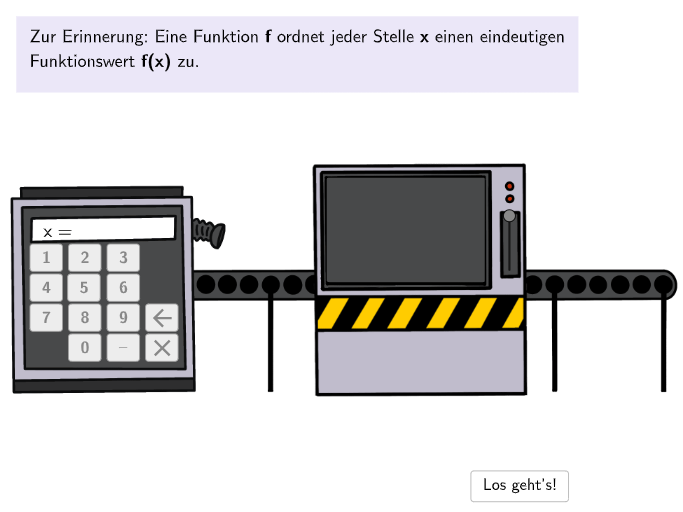
This GeoGebra example demonstrates an interactive function machine for evaluating function values at given input points. The core mathematical concepts include function mappings, function value calculations, and switching between function equations, graphs, and value tables. Construction highlights: Textfield for input, Button for interaction, InputBox for value entry, Text for display, Shuffle fo
GeoGebra Commands & Parameters
Textfield(input1) → InputBox1Textfield(input2) → InputBox2Textfield(input3) → InputBox3Textfield(input4) → InputBox4Shuffle(1…5) → FunctionListIndex, {4, 1, 3, 5, 2}Join({{3}, FunctionListIndex \ {3}}) → FunctionListIndexRealSegment(HebelStart, HebelEnd) → hebelsegPoint(hebelseg) → HebelSegment(Anim1Seg1, Anim1Seg2) → anim1segPoint(anim1seg, anim1) → Anim1PosText(AnzeigeMaschine, Anim1Pos, false, true, 0, 0) → Anim1TxtValueStartText(Text3, Anim1Pos, false, true, 0, 0) → Anim1TxtFuncStartSelectedIndex(DD1) → index1Segment(Anim2Seg11, Anim2Seg12) → anim2seg1Segment(Anim2Seg21, Anim2Seg22) → anim2seg2Point(anim2seg2, anim2end) → Anim2Pos2Point(anim2seg1, anim2start) → Anim2Pos1Text(Text3, Anim2Pos2, false, true, 0, 0) → Anim2TxtFuncText(AnzeigeMaschine, Anim2Pos1, false, true, 0, 0) → Anim2TxtValueTranslate(VGray1, Vector[VGrayAnchor1, VGrayAnchor2]) → VGray2Translate(VGray1, Vector[VGrayAnchor1, VGrayAnchor3]) → VGray3Textfield(input5) → InputBox5