
Extending Fractions
Loading the math board and drawing, please wait…
In collections
Bruchzahlen: Erweitern und Kürzen
Wiederholung II: Erweitern & Kürzen, Darstellungsarten
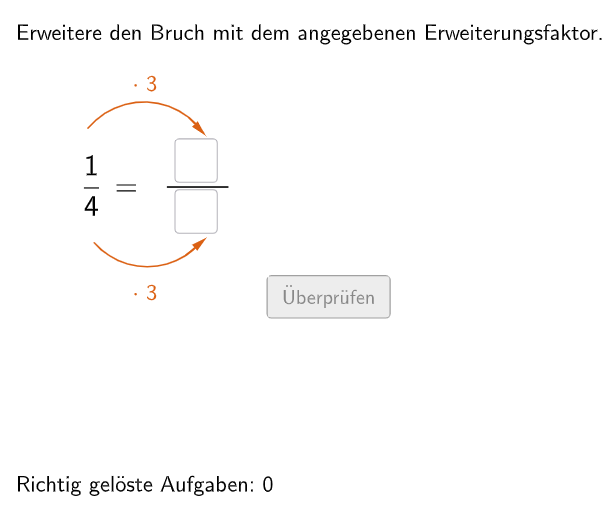
This example demonstrates how to extend fractions. It involves the core math concept of extending and simplifying fractions. The construction points include using GeoGebra's Join, Element, If commands and objects such as bInput, questionCount, randomNosForY. It is suitable for middle school math education, particularly for 5-6 grade students.
GeoGebra Commands & Parameters
Join({{4}, Shuffle[Sequence[Random[2, 10], i, 1, 100]]}) → randomNosForYElement(randomNosForY, Mod[questionCount, 100]) → numYJoin({{1}, Shuffle[Sequence[Random[1, numY - 1], i, 1, 100]]}) → randomNosForXElement(randomNosForX, Mod[questionCount, 100]) → numXJoin({{3}, Shuffle[Sequence[Random[2, 10], i, 1, 100]]}) → randomNosForZElement(randomNosForZ, Mod[questionCount, 100]) → numZIf(questionCount ≟ 1, aInput ≟ 3, aInput ≟ (numX * numZ)) → correct1If(questionCount ≟ 1, bInput ≟ 12, bInput ≟ (numY * numZ)) → correct2Textfield(aInput) → InputBox1Textfield(bInput) → InputBox2Polygon(PtopLeftCornerFeedback, PtopRightCornerFeedback, PbottomRightCornerFeedback, PbottomLeftCornerFeedback) → rectangleCorrect, ptopleftcornerfeedback, ptoprightcornerfeedback, pbottomrightcornerfeedback, pbottomleftcornerfeedbackDefined((aInput * bInput)) → fixedSegment(A, B) → fCircleArc(C, D, E) → cCircleArc(F, G, H) → dPoint(c) → IVector(I, J) → uPoint(d) → KVector(K, L) → vPolygon(PtopLeftCornerFeedback_{1}, PtopRightCornerFeedback_{1}, PbottomRightCornerFeedback_{1}, PbottomLeftCornerFeedback_{1}) → rectangleCorrect_{1}, ptopleftcornerfeedback_{1}, ptoprightcornerfeedback_{1}, pbottomrightcornerfeedback_{1}, pbottomleftcornerfeedback_{1}CircleArc(M, N, O) → eCircleArc(P, Q, R) → gPoint(e) → SVector(S, T) → wPoint(g) → UVector(U, V) → a