
Drawing Parallelograms on a Grid or Geoboard
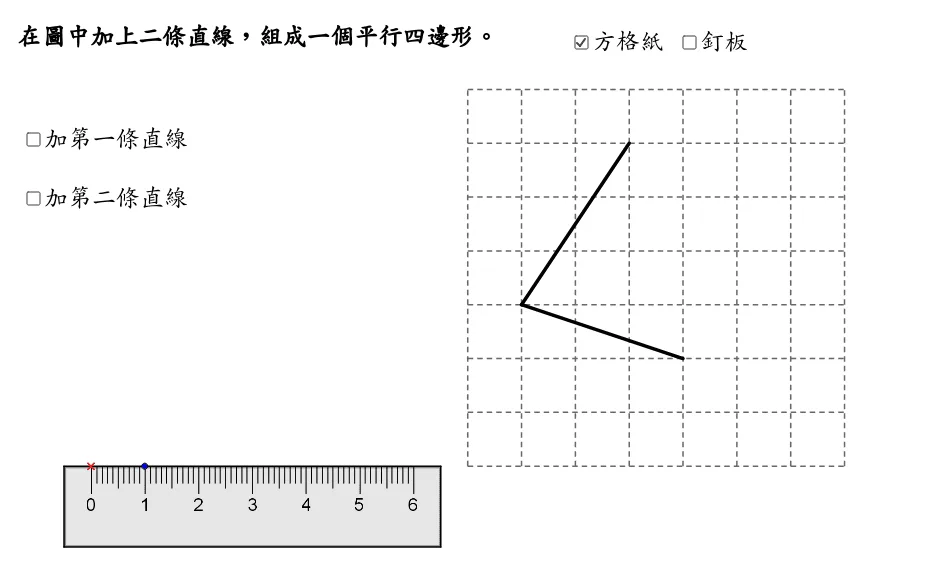
This GeoGebra applet demonstrates techniques for drawing parallelograms on a grid or geoboard, providing an interactive geometric construction tool suitable for middle and high school geometry instruction. The applet leverages mathematical commands such as Sequence, Polygon, Rotate, greatest common divisor calculations, and unit orthogonal vectors to dynamically illustrate the step-by-step construction of parallelograms on a coordinate grid.
Through color coding and geometric transformations, the applet highlights key properties of parallelograms, including equal side lengths, parallel sides, and equal opposite angles. Learners can visually observe how these properties emerge naturally from the construction process, making abstract geometric concepts more concrete and accessible.
The interactive nature of the applet allows students to manipulate parameters and explore different configurations of parallelograms. This hands-on exploration supports inquiry-based learning, enabling students to discover geometric relationships independently rather than simply memorizing definitions. The visualization tools help bridge the gap between coordinate geometry and synthetic geometry, reinforcing the connection between algebraic representations and geometric figures.
Key features include the ability to display equal sides, parallel sides, and equal angles with distinct color differentiation. The use of rotation and vector commands demonstrates how parallelograms can be constructed from basic geometric primitives, offering insight into the underlying structure of these shapes. The applet also incorporates the concept of greatest common divisors, which plays a role in determining lattice point configurations and ensuring accurate grid-based constructions.
This resource is particularly valuable for geometry lessons on quadrilaterals, vector operations, and transformations. Teachers can use the applet as a demonstration tool during lectures or assign it for student exploration during practice sessions. The dynamic, interactive format engages students actively in the learning process and supports diverse learning styles by combining visual, kinesthetic, and analytical approaches to understanding parallelogram properties.
Loading the math board and drawing, please wait…