
Decimal Squares - Level 2
Loading the math board and drawing, please wait…
In collections
Wiederholung: Rechnen mit Dezimalzahlen und Brüchen
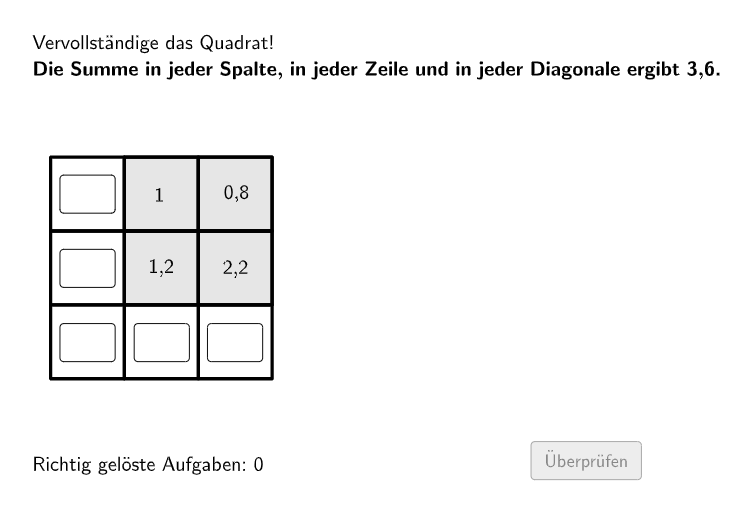
This example demonstrates the concept of decimal squares, involving the core math concept of adding non-negative decimals. Using GeoGebra commands such as Shuffle, Element, and Textfield, students can practice adding non-negative decimals. Suitable for students in grades 5-6.
GeoGebra Commands & Parameters
Shuffle(1…15) → randomNumberValues, {9, 8, 13, 14, 4, 5, 2, 6, 7, 1, 11, 3, 10, 12, 15}Element(randomNumberValues, Mod[questionCount, Length[randomNumberValues]] + 1) → actualIndexListValuesElement(listValues, actualIndexListValues) → actualValuesShuffle(1…8) → randomNumberPositions, {7, 6, 5, 8, 2, 1, 4, 3}Element(randomNumberPositions, Mod[questionCount, Length[randomNumberPositions]] + 1) → actualIndexListPositionsElement(listStartPositions, actualIndexListPositions) → actualStartPositionsTextfield(inputA) → inputBoxATextfield(inputB) → inputBoxBTextfield(inputC) → inputBoxCTextfield(inputD) → inputBoxDTextfield(inputE) → inputBoxETextfield(inputF) → inputBoxFTextfield(inputG) → inputBoxGTextfield(inputH) → inputBoxHTextfield(inputI) → inputBoxIRemoveUndefined(Sequence[If[Element[actualStartPositions, i] ≟ 0, i], i, 1, Length[actualStartPositions]]) → actualStartPositionsPossibleHintElementsRandomElement(actualStartPositionsPossibleHintElements) → hintElement