
Constructing a Triangle on a Geoboard (Problem 2b)
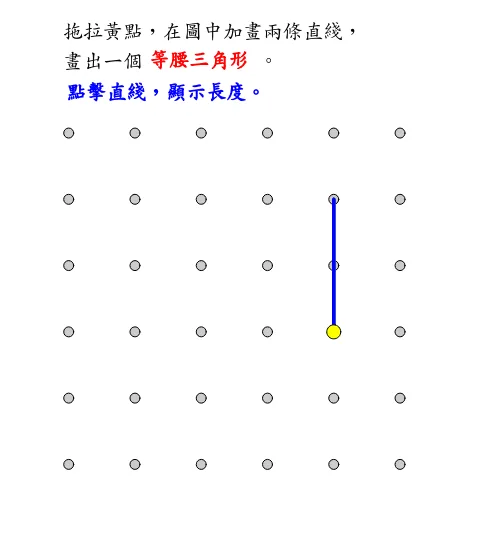
This GeoGebra applet demonstrates the interactive construction of a triangle on a geoboard background, specifically addressing Problem 2b from a geometry exercise set. The geoboard, a classic mathematical manipulative, is recreated digitally using the Sequence command to generate a precise grid of pegs, providing an authentic and familiar environment for geometric exploration.
The applet utilizes the Polygon command to draw a triangle by connecting three vertices labeled A, B, and C on the geoboard grid. Once the triangle is constructed, the Angle command is employed to measure and clearly label each of the three interior angles using standard Greek notation: alpha, beta, and gamma. This automatic measurement and labeling allow students to immediately observe the angular relationships within the triangle without manual calculation.
The model visually presents all essential geometric elements of the triangle. The vertices A, B, and C are clearly marked and can be repositioned by dragging them to different peg locations on the geoboard. As the vertices move, the side lengths AB, BC, and AC update dynamically, and the interior angles recalculate in real time. This dynamic interactivity is central to the learning experience, as it enables students to experiment freely with different triangle configurations while observing how changes in vertex positions affect side lengths and angle measures simultaneously.
From a mathematical perspective, this applet supports the exploration of several foundational plane geometry concepts. Students can investigate the properties of isosceles triangles by positioning vertices so that two sides are equal in length and then observing the corresponding equality of base angles. The angle sum property, which states that the interior angles of any triangle always total 180 degrees, can be verified instantly for any configuration. Additionally, students can explore relationships between side lengths and opposite angles, gaining intuitive understanding of the principle that longer sides are opposite larger angles.
The geoboard context adds a tactile, hands-on dimension to the digital experience. By constraining vertex placement to grid points, the applet encourages students to think about coordinates, distances, and spatial relationships in a structured yet flexible framework. This constraint also makes it easier to create specific triangle types, such as right triangles aligned with the grid axes or isosceles triangles with symmetric vertex placements.
This applet is particularly beneficial for students learning basic geometric construction and reasoning. It bridges the gap between abstract geometric definitions and concrete visual representations, helping learners develop spatial intuition. Teachers can use it as a demonstration tool during lessons or assign it as an interactive exploration activity where students discover geometric properties through guided experimentation. The immediate visual feedback reinforces conceptual understanding and makes the study of triangle geometry both accessible and engaging for learners at various levels.
In collections
Grade 3 Semester 2: Triangles (Teacher's Edition)
Grade 3 Semester 2: Triangles (Student Edition)
Loading the math board and drawing, please wait…