
Circles of Equal Size
Loading the math board and drawing, please wait…
In collections
Beauty of Mathematics: GeoGebra Visualizations
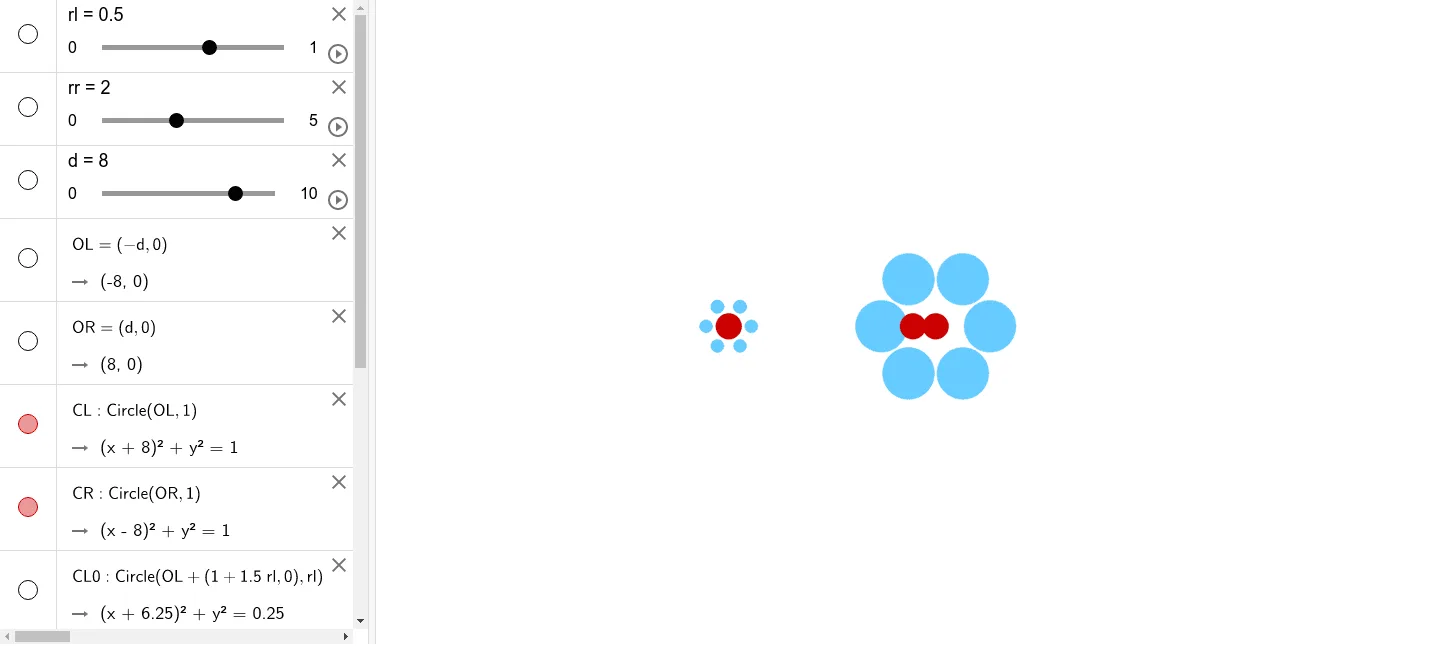
This applet demonstrates how to construct a sequence of circles of equal size using the Sequence and Translate commands in GeoGebra. By defining an initial circle and a translation vector, the applet generates multiple copies of that circle arranged along the direction and magnitude of the vector. The construction visually illustrates the geometric properties of circles, translation transformations, and the efficient application of sequence-based constructions in dynamic geometry. Students can interact with the applet by adjusting the radius of the initial circle, modifying the components of the translation vector, or changing the number of circles in the sequence. These interactive controls allow learners to observe how each parameter affects the overall arrangement, reinforcing their understanding of how translation preserves both shape and size. The applet serves as an excellent pedagogical tool for exploring fundamental transformational geometry concepts, particularly the idea that a translation maps every point of a figure the same distance in the same direction without altering the figure's dimensions. It also highlights the power of GeoGebra's Sequence command, which enables users to generate multiple geometric objects with a single concise expression, showcasing computational efficiency in geometric reasoning. Through hands-on manipulation, students develop intuition about coordinate geometry, vector addition, and symmetry, making this a valuable resource for both classroom instruction and independent exploration.
GeoGebra Commands & Parameters
Circle(OL, 1) → CLCircle(OR, 1) → CRCircle(OL + (1 + (1.5 * rl), 0), rl) → CL0Circle(OR + (0.2 + (2 * rr), 0), rr) → CR0Sequence(Rotate[CR0, (π / 3 * k), OR], k, 1, 6) → l1Translate(CL, Vector[(t * Vector[OL, OR])]) → CsSequence(Rotate[CL0, (π / 3 * k), OL], k, 1, 8) → CLs
AI Drawing Prompt Reference
Define two base points on the plane and draw circles centered at each point. Around the first base point, rotate a circle 8 times at 60-degree intervals to create a symmetrical ring of equally spaced circles. Around the second base point, rotate another circle 6 times at 60-degree intervals to form another circular arrangement. Additionally, translate the first circle multiple times along the direction connecting the two base points to create a linear sequence of equal-sized circles. The figure demonstrates both rotational symmetry and translational arrangement of circles.
The prompt above was compiled from the original drawing commands and is for reference only.