
Calculating the Circumference of a Circle
Loading the math board and drawing, please wait…
In collections
Kreis Umfang und Flächeninhalt
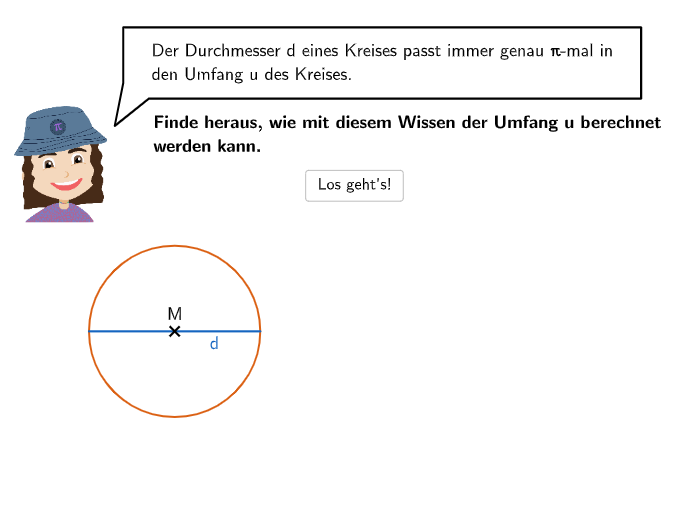
This example demonstrates how to use GeoGebra to calculate the circumference of a circle. The core math concepts involved are the formulas for the circumference of a circle, C=πd or C=2πr. Key GeoGebra commands and objects used in the construction include Circle, Point, Segment, Ray, Textfield, CircleArc. It is suitable for students in grades 7-8, for learning and practicing the calculation of the
GeoGebra Commands & Parameters
SpeechBubbleLeft(PBubblePia, 12, 1.6) → bubble1Circle(A, B) → cPoint(c) → CSegment(C, B) → fSpeechBubbleLeft(PBubblePia, 11.5, 1.3) → bubble2SpeechBubbleLeft(PBubblePia, 10, 1.3) → bubble3SelectedIndex(drop1) → index1SpeechBubbleLeft(PBubblePia - (0.3, 0), 12.3, 1) → bubble4SpeechBubbleLeft(PBubblePia - (0.3, 0), 12.3, 1) → bubble4BuntCircle(D, E) → dPoint(d) → FSegment(F, E) → gSpeechBubbleLeft(PBubblePia, 9, 1.2) → bubble6SpeechBubbleLeft(PBubblePia, 7.7, 1) → bubble7SpeechBubbleLeft(PBubblePia - (0.1, 0.4), 12.1, 1.8) → bubble8Circle(G, 2.5) → ePoint(e) → HSegment(G, H) → hSpeechBubbleLeft(PBubblePia - (0, 1.2), 11.2, 3) → bubble9Point(e) → IRay(I, G) → iSpeechBubbleLeft(PBubblePia, 10, 1.3) → bubble10Textfield(input1) → InputBox1SpeechBubbleLeft(PBubblePia - (0.2, 0.1), 12.4, 1.7) → bubble11Segment(F, E) → kSegment(D, E) → lSpeechBubbleLeft(PBubblePia - (0, 0.7), 12.3, 2.2) → bubble12CircleArc(L, M, N) → pPoint(p) → OVector(O, P) → uTextfield(input2) → InputBox2Sequence((i, 0), i, 0, 10, 0.3585) → l1Rotate(l1, -23°) → l1'Point(l1') → JSegment((0, 0), J) → jSpeechBubbleLeft(PBubblePia - (0.1, 0.4), 11.8, 1.8) → bubble5Textfield(input3) → InputBox3Textfield(input4) → InputBox4Textfield(input5) → InputBox5Circle(Z, A_1) → qPoint(q) → B_1Ray(B_1, Z) → mIntersect(q, m, 2) → C_1Segment(B_1, C_1) → n