
3D Construction and Visualization of a Cuboid
This GeoGebra applet provides a comprehensive, interactive demonstration of how to construct and visualize a complete cuboid, also known as a rectangular prism, in a three-dimensional coordinate space. Designed as a foundational example for solid geometry instruction, the applet systematically walks through the geometric construction process using core GeoGebra 3D commands such as Polygon, Prism, and Segment.
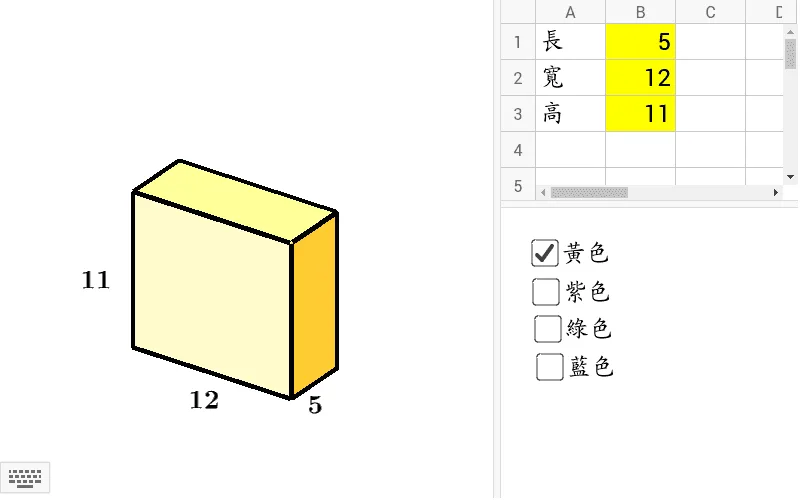
At the core of this visualization is the precise definition of the cuboid's structural components. The model is built upon eight distinct vertices, labeled A through H, which serve as the corners of the prism. Using these points, the applet constructs the various edges, such as the vertical segments AE, BF, CG, and DH, which define the height and connect the base to the top face. Furthermore, it generates the polygonal faces of the cuboid. To optimize visual clarity and mimic standard geometric drawing conventions, the applet specifically highlights the five visible faces from a standard isometric perspective: the front face ABFE, the right face BCGF, the back face CDHG, the left face ADHE, and the top face EFGH.
The true power of this applet lies in its interactivity. Students and educators can freely rotate, pan, and zoom the 3D model to examine the cuboid from any angle. This dynamic manipulation allows users to observe how the visible and hidden faces shift depending on the viewpoint, bridging the gap between abstract two-dimensional representations on paper and actual three-dimensional spatial reality. By interacting with the model, learners can verify geometric properties firsthand, such as confirming that opposite faces are parallel and congruent, that adjacent faces intersect at right angles, and that all vertical edges are perpendicular to the base.
From an educational standpoint, this tool is invaluable for developing spatial reasoning and visualization skills. It helps students overcome common cognitive hurdles associated with interpreting three-dimensional shapes on flat surfaces. By explicitly showing how a complex solid is decomposed into zero-dimensional points, one-dimensional segments, and two-dimensional polygons, the applet demystifies the architecture of solid geometry. It serves as an excellent stepping stone for more advanced topics, such as calculating surface area and volume, exploring spatial diagonals, or constructing more complex polyhedra. Ultimately, this GeoGebra example is an essential, engaging resource for any mathematics classroom aiming to build a strong, intuitive understanding of three-dimensional geometric structures.
Loading the math board and drawing, please wait…